Abandoned Cart Countdown Timers
Turn abandoned carts into completed purchases. Add urgency to your recovery emails with real-time countdown timers.
Create Your Timer — Free 10,000 free impressions a month · No watermark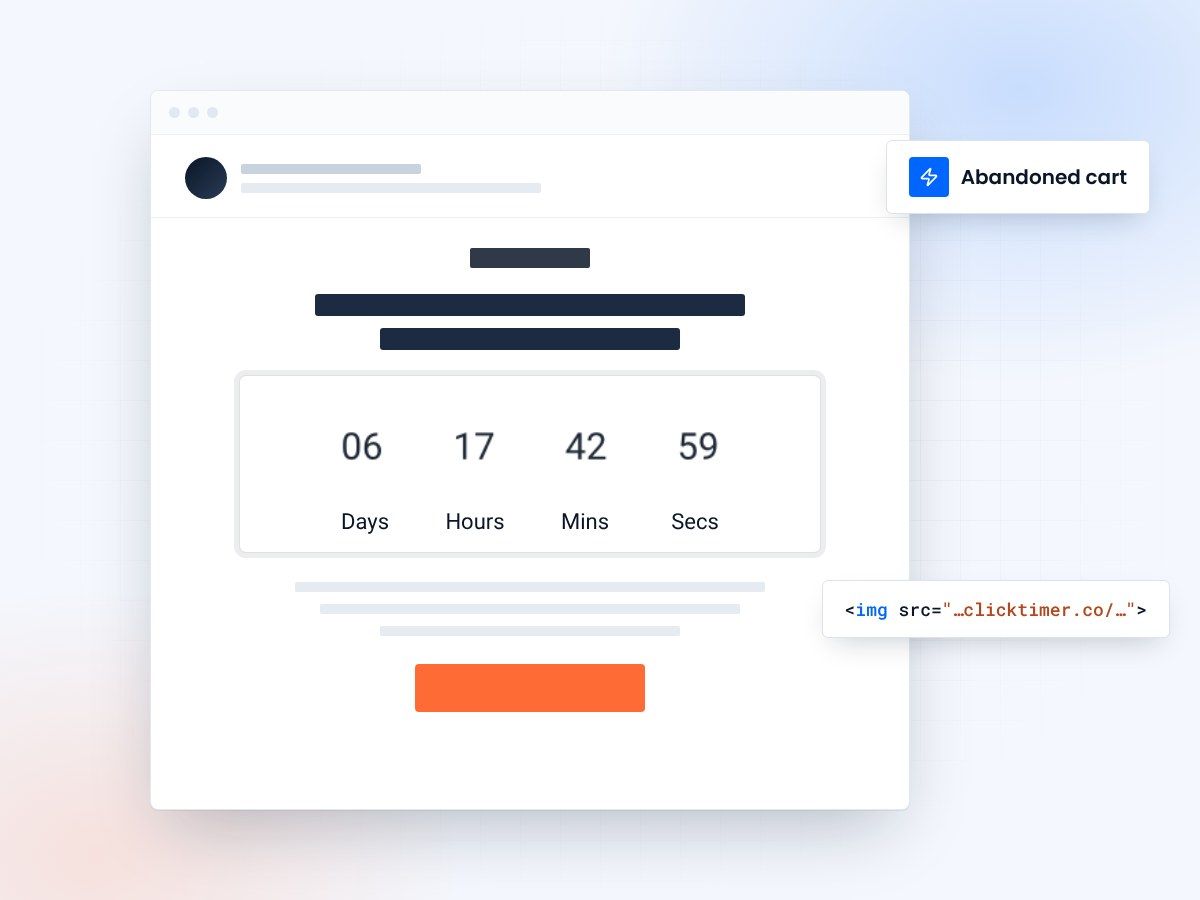
- Built for abandoned cart flows
- A personal deadline for every subscriber
- 10,000 free impressions a month
- No watermark, even on the free plan
The $4 trillion abandoned cart problem
Nearly 70% of online shopping carts are abandoned. According to Baymard Institute research, that's over $4 trillion in merchandise left behind annually across ecommerce. The reasons are predictable: unexpected shipping costs, comparison shopping, distractions, complicated checkout processes, or simply "I'll come back later" (spoiler: most don't).
Standard abandoned cart emails recover about 5-10% of lost revenue. They're the lowest-hanging fruit in email marketing — triggered emails that go to people who already demonstrated purchase intent. But most abandoned cart emails are bland: "You left something behind. Here's a link." They work, but they don't work nearly as well as they could.
Adding a countdown timer to your cart recovery emails changes the dynamic completely. "Your cart expires in 2 hours" with a ticking clock triggers loss aversion — one of the most powerful psychological drivers in consumer behavior. The result? Cart recovery rates can jump from 5-10% to 15-25%, which translates directly to recovered revenue.
Why countdown timers work for cart recovery
When someone abandons a cart, they were interested enough to add items. The intent is there — they just didn't commit. A generic "You forgot something" email is easy to ignore because there's no consequence to inaction. The items will still be there tomorrow. Or next week. Or never, because the subscriber has already moved on.
A countdown timer changes the equation by introducing a deadline. "Your cart is reserved for the next 2 hours" transforms a passive reminder into an active decision point. It moves the subscriber from "I'll do it later" to "I need to decide now." The timer provides the forcing function that the original checkout failed to create.
This works because of two psychological principles:
Loss aversion
People feel the pain of losing something roughly twice as strongly as the pleasure of gaining it (Kahneman & Tversky, Prospect Theory). A timer framing the situation as "you're about to lose these items" is more motivating than "these items are waiting for you."
Scarcity & urgency
When something is available indefinitely, there's no reason to act now. A deadline creates scarcity of time. The ticking timer is a visual representation of that scarcity — it literally shows the opportunity shrinking with every second.
The 3-email cart recovery sequence with timers
The most effective abandoned cart sequences use 3 emails with escalating urgency. Not every email needs a timer — the sequence is designed to catch different buyer types:
Email 1: gentle reminder — 1 hour after abandonment
No timer. Just a friendly nudge with product images and a link back to cart. "Still thinking it over? Your cart is waiting." This catches the ~30% who simply got distracted by a phone call, a coworker, or a notification.
Expected recovery: 3-5% of abandoned carts
Email 2: urgency + timer — 6 hours after abandonment
Add the countdown timer here. "Your cart is reserved for the next 18 hours" with a visible countdown. Show the product images alongside the timer so they know exactly what they're about to lose. This is where the timer does its magic — the visual urgency converts the fence-sitters.
Expected recovery: 5-8% of remaining abandoned carts
Email 3: last chance + incentive — 24 hours after abandonment
Timer + a small discount. "Your cart expires in 4 hours — here's 10% off to help you decide." The timer combined with an incentive is the highest-converting abandoned cart email you can send. The subscriber gets both a reason (discount) and a deadline (timer) to act.
Expected recovery: 8-12% of remaining abandoned carts
Setting up cart recovery timers with ClickTimer
Cart recovery timers are slightly different from fixed-date timers (like "Black Friday ends at midnight"). For cart recovery, you typically want an evergreen timer — one that starts counting down from when the subscriber opens the email, not from a fixed date.
Here's how to set it up:
- Set the durationIn ClickTimer's configurator, set your countdown duration (e.g., 4 hours, 12 hours, or 24 hours). This creates an evergreen timer.
- Match your brandCustomize the timer to match your brand. Use your brand colors, your preferred font, and set the background to transparent if your email has a colored background.
- Paste it into your ESPCopy the generated HTML code into an HTML block in your abandoned cart email template in your ESP (Klaviyo, Mailchimp, Omnisend, etc.).
- Let each timer runThe timer counts down from the moment each subscriber opens the email. Everyone gets a personal deadline — there's no "one size fits all" expiration time.
Create your cart recovery countdown
Set the duration, match your brand, copy the code. 10,000 free impressions a month, no credit card.
Already have an account?
Send Test Email
Enter your email to receive a preview of how this countdown looks in email campaigns.
Design tips for cart recovery timers
- Keep it above the fold. The timer should be visible without scrolling. Place it right below the "Your cart is expiring" headline and above the product images or CTA button.
- Show the products alongside the timer. The timer creates urgency, but the subscriber needs to see what they're losing. Include product images, names, and prices next to or below the countdown.
- Use warm urgency colors. Orange or red accents work well for cart recovery timers — they signal "act soon" without being alarming. Save aggressive red for the final "last chance" email.
- Mobile-first design. Over 60% of cart recovery emails are opened on mobile. The timer must be large enough to read on a phone screen without zooming. Set it to 100% width of the email container.
- Include the cart total. Showing the dollar amount they're about to lose reinforces loss aversion. "$147.50 in your cart — reserved for 4 more hours" is more powerful than just "Your cart is expiring."
Pro tips for maximum cart recovery
Be honest with your deadlines
If the timer hits zero, follow through. Either remove the items from the cart, remove the discount, or change the experience. If the subscriber comes back after the timer expired and everything is the same, they'll learn to ignore your timers forever.
Don't offer the discount too soon
If you always give 10% off in email 3, savvy customers will learn to abandon their cart on purpose to get the discount. Give the gentle reminder and timer-urgency emails a chance to work first. Only add the incentive as a last resort.
Segment by cart value
High-value carts ($200+) deserve more aggressive recovery efforts — more emails, bigger discounts, longer countdown durations. Low-value carts might only need a single reminder email with a timer.
Test different countdown durations
Some audiences respond better to 2-hour countdowns (high urgency), others to 24-hour countdowns (time to think). A/B test different durations to find what works for your specific customers.
Frequently asked questions
What's the best countdown duration for abandoned cart emails?
Start with 4-6 hours for the urgency email (email 2) and 2-4 hours for the final email (email 3). Test longer durations (12-24 hours) if your audience is less responsive to short deadlines.
Should every abandoned cart email have a timer?
No. The first email should be a gentle reminder without a timer. Save the timer for email 2 (urgency) and email 3 (last chance + incentive). Escalating urgency across the sequence is more effective than starting at maximum intensity.
Does Klaviyo support countdown timers in abandoned cart flows?
Yes. You can paste the ClickTimer HTML code into an HTML block in any Klaviyo email template, including abandoned cart flow emails. No special integration needed, it's just an HTML snippet.
How much revenue can I recover with countdown timers?
Adding timers to your cart recovery sequence can increase recovery rates by 50-100% compared to emails without timers. For a store with $50K/month in abandoned carts and a 10% base recovery rate, adding timers could recover an additional $2,500-$5,000 per month.
Should I use a fixed-date timer or evergreen timer for cart recovery?
Evergreen (relative) timers work best for cart recovery because each customer abandons at a different time. A fixed-date timer only makes sense if your sale has a hard deadline. For standard cart recovery, evergreen ensures every subscriber gets a personal countdown.
Recover more abandoned carts
Add countdown timers to your cart recovery emails. Free, no watermark, works with every ESP.