Email Countdown Timer API: Developer Guide
Integrate dynamic countdown timers into your email stack with a simple API call.
Create Your Timer — Free 10,000 free impressions a month · No watermark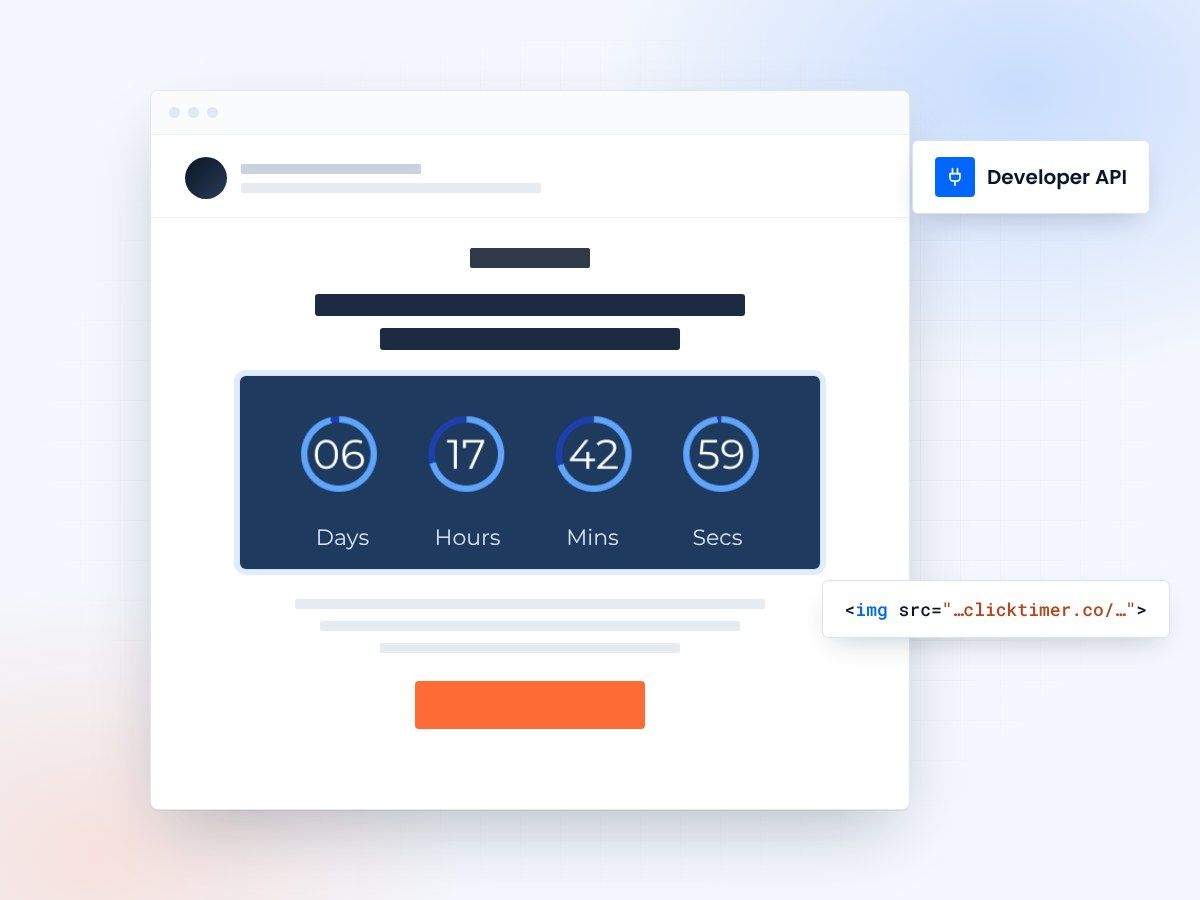
- No SDK, no API key to manage
- Renders in every major email client
- 900+ Google Fonts
- 10,000 free impressions a month
Why use a countdown timer API?
If you're building email campaigns at scale, manually creating countdown timers for each send simply doesn't work. An API-based approach lets you programmatically generate timers, embed them in templates, and customize every detail — from colors to fonts to expiration behavior — without leaving your codebase.
ClickTimer's approach is elegantly simple: you construct a URL with your desired parameters, and it returns a GIF-based countdown timer that updates in real-time every time the recipient opens their email. No JavaScript required, no rendering issues across email clients. It just works — in Gmail, Outlook, Apple Mail, Yahoo, and every other major client.
This guide walks you through everything you need to integrate countdown timers into your email infrastructure, whether you're using a marketing automation platform, a custom-built email system, or a transactional email service like SendGrid.
How ClickTimer's API works
ClickTimer generates countdown timers as animated GIF images served via URL. The timer is rendered server-side and recalculated on every HTTP request — meaning each time someone opens an email, they see an accurate, real-time countdown.
Embed it in your HTML
The integration pattern is straightforward: construct a timer URL with your parameters, embed it as an <img> tag in your email HTML, and you're done. There's no SDK to install, no webhook to configure, and no authentication token to manage for basic timer generation.
Build URLs visually
For developers who need to manage timers programmatically — creating, updating, or tracking usage — ClickTimer provides a dashboard and configuration interface at clicktimer.co/#config where you can generate timer URLs with a visual builder, then use those URLs in your code.
Integration patterns by platform
The beauty of a URL-based timer system is universal compatibility. Here's how it fits into common email architectures:
| Platform type | Integration method | Example |
|---|---|---|
| ESP (Klaviyo, Mailchimp) | Paste the embed code in an HTML block | Drag & drop HTML block → paste code |
| Transactional (SendGrid, SES) | Embed <img> in HTML template | Dynamic URL in template variable |
| Marketing Automation (HubSpot) | Custom HTML module with timer URL | HubL template with personalized date |
| Custom-built systems | Generate URL server-side, inject into HTML | Python/Node script builds URL per recipient |
| WordPress / WooCommerce | Shortcode or HTML block in email plugin | See our WordPress guide |
Building dynamic timer URLs
For teams sending personalized campaigns, you'll want to construct timer URLs dynamically. The key parameters you'll work with include the target date/time, timezone, display language, font family (choose from 900+ Google Fonts), colors for digits, labels, and background, and the timer dimensions.
A common pattern is to generate a unique timer URL per recipient based on their specific deadline. For example, a SaaS company sending trial expiration reminders would calculate each user's trial end date and encode it into the timer URL. The result: every recipient sees a countdown to their specific deadline, not a generic campaign date.
This is particularly powerful when combined with platforms like Klaviyo or HubSpot, where you can use merge tags or personalization tokens to dynamically set the countdown date per recipient.
Server-side implementation examples
Whether you're working in Python, Node.js, PHP, or any other language, the integration follows the same pattern: build a URL string with your parameters and embed it in your email HTML as an image source. There's no library to install or API key to manage — the URL itself is the API.
For batch campaigns, you can generate hundreds of unique timer URLs in a loop, each with a different target date, and inject them into your email templates before sending. The ClickTimer servers handle all the GIF rendering on the fly.
For teams using Zapier integrations, you can even automate timer creation as part of larger workflows — triggering personalized timers when a user signs up, abandons a cart, or hits a milestone in your product.
Developer quick reference
Key facts for your integration planning:
- Format: Animated GIF — works in 100% of email clients
- Rendering: Server-side, recalculated on each email open
- Fonts: 900+ Google Fonts available
- Authentication: None required for timer generation (URL-based)
- Rate limits: Pay-as-you-go based on impressions
- Free tier: 10,000 impressions/month — no watermark
- Pricing: €0.23/10K (up to 150K), €0.15/10K (up to 1M), €0.06/10K (1M+)
Create your timer URL
Configure it visually, then reuse the URL in your code. 10,000 free impressions a month, no credit card.
Already have an account?
Send Test Email
Enter your email to receive a preview of how this countdown looks in email campaigns.
Error handling and edge cases
When the countdown ends
What happens when a countdown reaches zero? ClickTimer displays a static "00:00:00" state by default. You can customize this behavior through the configuration dashboard — showing a custom message or hiding the timer entirely after expiration.
Timezones
For timezone handling, always specify the timezone explicitly in your timer URL rather than relying on defaults. This ensures consistency across your recipient base, especially for global campaigns. ClickTimer supports all standard IANA timezone identifiers.
Malformed URLs
If a timer URL is malformed or missing required parameters, ClickTimer returns a fallback image rather than a broken image icon — so your emails never look broken, even if there's a bug in your URL construction logic.
Scaling considerations
ClickTimer's infrastructure is built to handle high-volume sends. Whether you're sending 1,000 or 10 million emails, each timer is rendered on-demand — there's no pre-generation step or queue to manage on your side.
For cost optimization at scale, ClickTimer's tiered pricing works in your favor: the more impressions you use, the lower the per-impression cost. At 1M+ impressions, you're paying just €0.06 per 10,000 — significantly cheaper than competitors like MailTimers (€49/month) or Deadline Funnel ($49/month) which charge flat subscription fees regardless of your volume.
Credits are prepaid and never expire, which means you can buy in bulk during a high-volume campaign season and use them throughout the year without worrying about monthly renewals or wasted subscription fees.
Frequently asked questions
Do I need an API key to generate timers?
No. ClickTimer uses URL-based timer generation — you construct a URL with your parameters and embed it directly. No authentication required for basic timer creation.
Can I generate timers dynamically for each recipient?
Yes. Build the timer URL server-side with each recipient's specific deadline, and embed the unique URL in their email. This works for trial expirations, appointment reminders, or personalized sale deadlines.
What happens when the countdown reaches zero?
The timer displays a static "00:00:00" by default. You can customize the post-expiration behavior through the ClickTimer dashboard.
Is there a rate limit on timer requests?
ClickTimer uses an impression-based model — no rate limits per se, but you pay per 10K impressions. Free tier includes 10,000 impressions with no watermark.
Which email clients support the GIF timers?
All of them. GIF is universally supported across Gmail, Outlook, Apple Mail, Yahoo Mail, and every other major email client. That's why ClickTimer uses GIF format rather than JavaScript or CSS animations.
Generate your first timer URL
Create your first countdown timer in 30 seconds.