Cyber Monday 2026 countdown emails
Cyber Monday 2026 is Monday, November 30 — three days after Black Friday (Friday 27 November). It's a one-day deadline by definition, which makes it the perfect event for a countdown timer: everything your subscriber needs to know is "how many hours are left". ClickTimer adds a live countdown to any email in 2 minutes, and it's the cheapest countdown ever: 10,000 free impressions a month with no watermark, then from €0.23 per 10,000 impressions.
Create your countdown free 10,000 free impressions a month · No watermark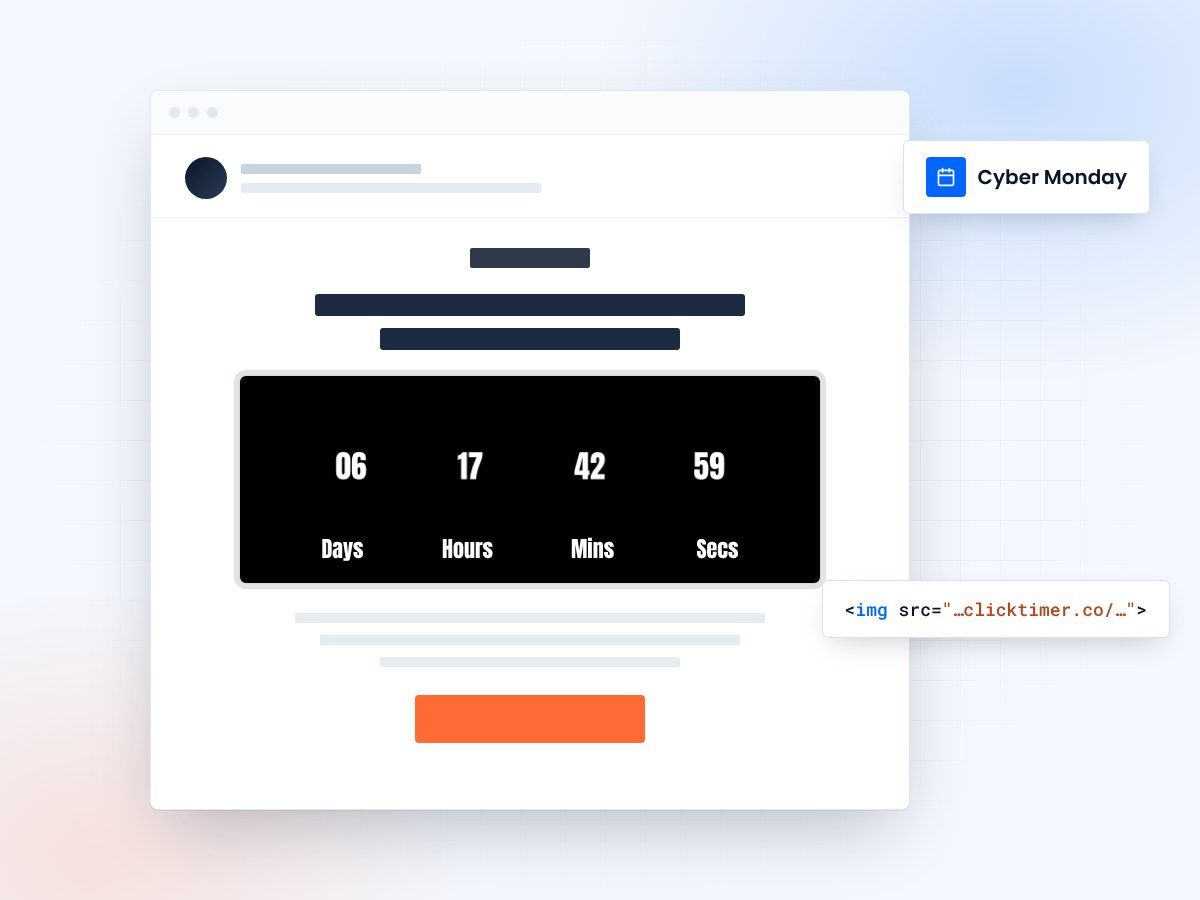
- Real time left at every open
- Works in Klaviyo, Mailchimp, Shopify Email
- 10,000 free impressions a month
- No watermark, even on the free plan
Why countdowns lift Cyber Monday email conversions
- A single day needs a visible clock. By Monday, your subscribers have already seen a weekend of Black Friday promos. Hours ticking down is a clearer message than another "last chance" banner.
- The timer updates at every open. Someone opening at 9:00 and someone opening at 21:00 each see the real time left — essential when you send several emails on the same day.
- It separates Cyber Monday from Black Friday. A new timer with a new deadline tells subscribers this is a new offer, not a repeat.
- It makes the extension credible. If you extend for 24 hours, a fresh timer to Tuesday 23:59 makes the new deadline explicit.
Step-by-step setup
Create the countdown
- Go to app.clicktimer.co → New countdown.
- End date: 30 Nov 2026, 23:59, in your audience's timezone.
- Style it for "tech": dark background, electric blue or neon digits, monospace or bold sans font (900+ available).
- Set an expired message ("Cyber Monday is over — the extension is live") and copy the embed code.
Templates to start from: countdown timer email templates.
Klaviyo
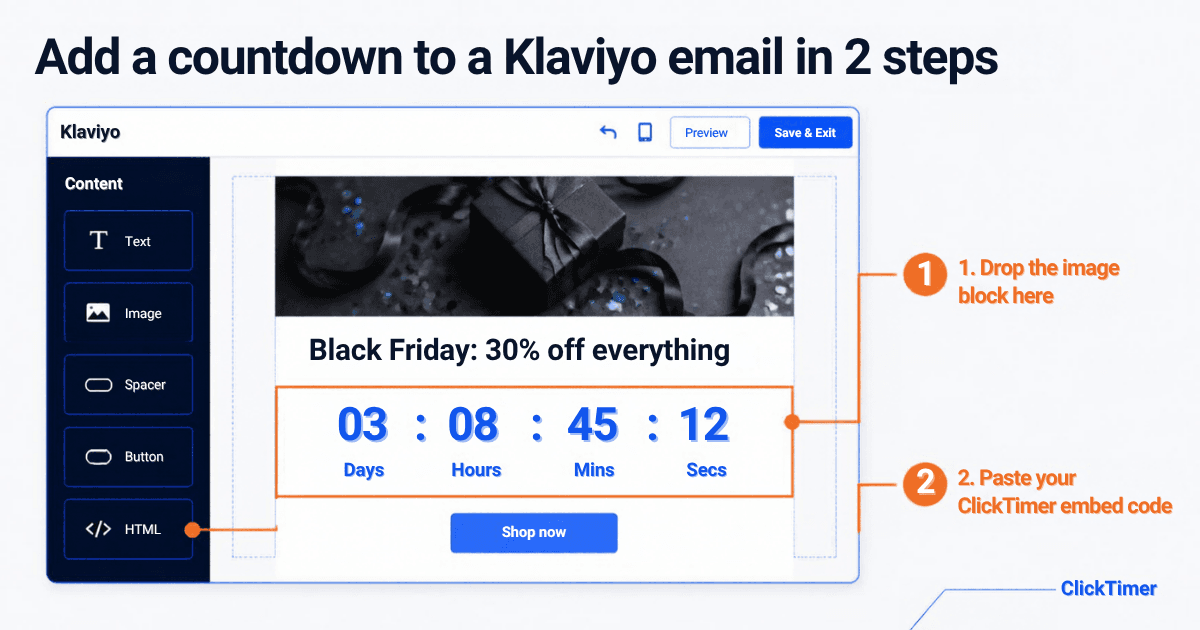
Add an HTML block under your hero, paste the embed code, preview. Detailed guide: Klaviyo countdown timer.
Mailchimp
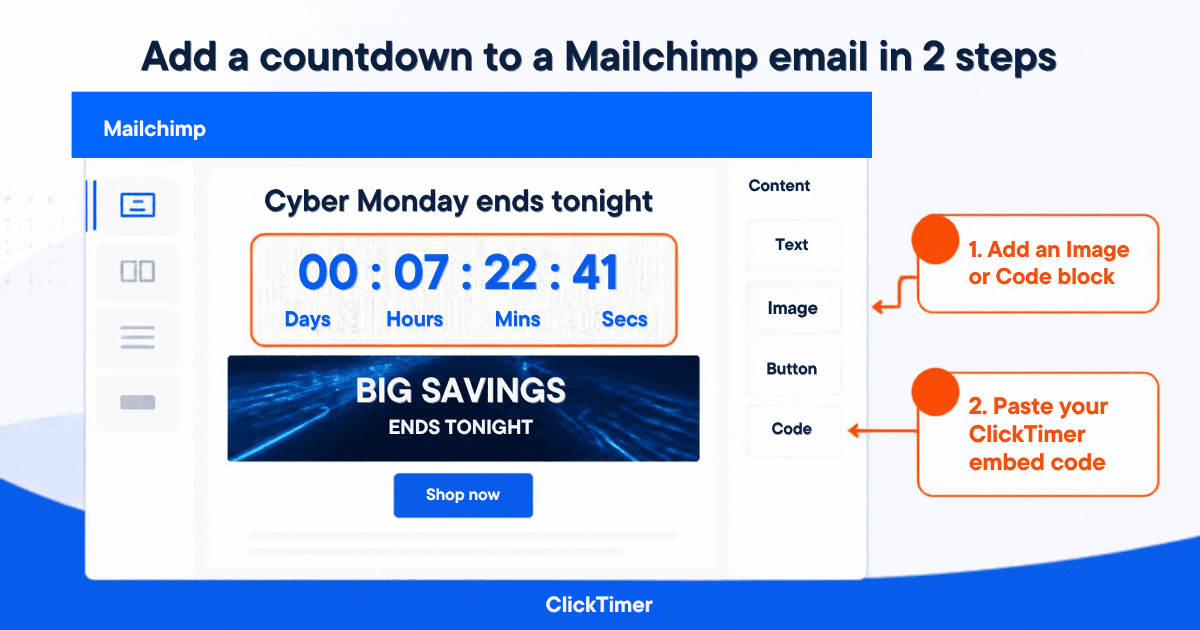
Add a Code content block, paste the embed code, send a test to yourself.
Shopify Email
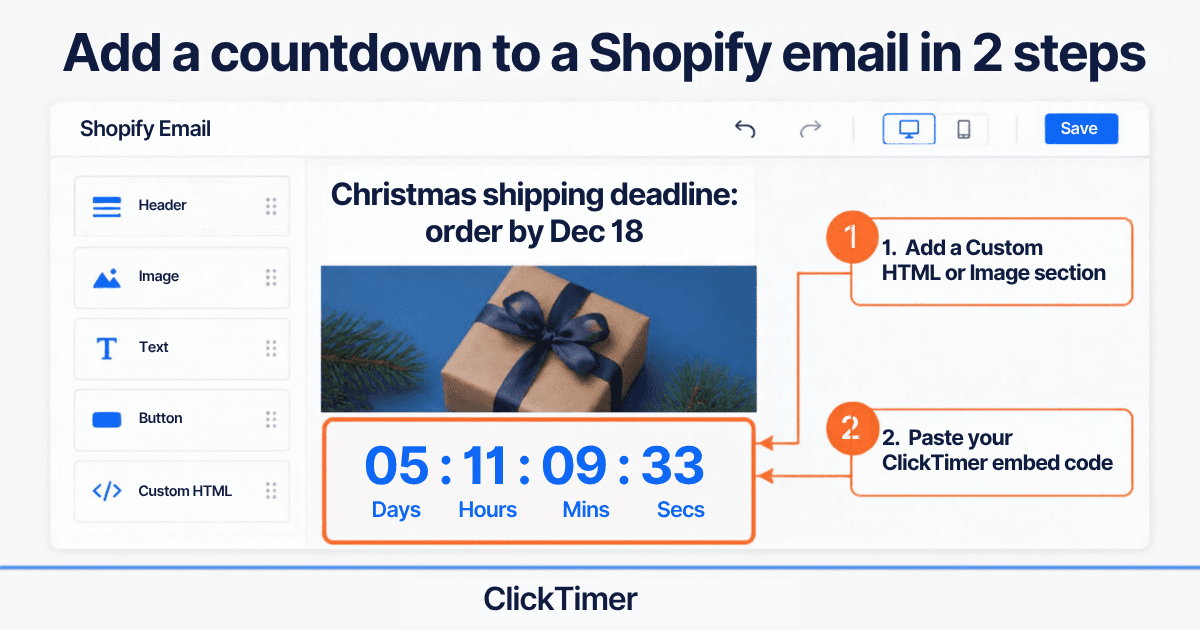
Add a section that accepts custom HTML/Liquid (if available in your editor) and paste the code. If you can only upload images, the timer won't be live — use the HTML option or a Shopify-connected ESP (Klaviyo, Omnisend).
Create your Cyber Monday countdown
Set the deadline to Monday 23:59, match your brand, copy the code. 10,000 free impressions a month.
Already have an account?
Send Test Email
Enter your email to receive a preview of how this countdown looks in email campaigns.
3 subject line and timer combos
| Subject line | Timer counts down to | |
|---|---|---|
| Sunday preview | "Tomorrow only: Cyber Monday starts at midnight" | Mon 30 Nov, 00:00 |
| Monday launch | "Cyber Monday is live — 24 hours, then it's gone" | Mon 30 Nov, 23:59 |
| Extension | "We extended Cyber Monday (one last time)" | Tue 1 Dec, 23:59 |
Cyber Monday 2026 send plan
| Date / time | Timer | |
|---|---|---|
| Sun 29 Nov, evening | Preview: "Cyber Monday starts at midnight" | To launch |
| Mon 30 Nov, morning | Launch | To Mon 23:59 |
| Mon 30 Nov, afternoon | "Halfway there" with best-sellers | To Mon 23:59 |
| Mon 30 Nov, evening | "Final hours" — non-openers & non-buyers | To Mon 23:59 |
| Tue 1 Dec | 24h extension (optional) | To Tue 23:59 |
| Wed 2 – Fri 4 Dec | Cyber Week offers (optional) | To Fri 4 Dec, 23:59 |
Coming from the weekend? See the full Black Friday 2026 calendar.
Segmentation and pricing
Segmentation tips
- Exclude Black Friday buyers from the launch email, or give them a different offer and timer.
- Send the "final hours" email to non-clickers only, to protect deliverability.
- One timer per timezone if you sell across regions.
What it costs
10,000 free impressions a month with no watermark. Then €0.23 per 10,000 (10K–150K), €0.15 per 10,000 (150K–1M), €0.06 per 10,000 above 1M. Prepaid credits that never expire, no subscription.
Frequently asked questions
When is Cyber Monday 2026?
Monday, November 30, 2026 — the Monday after Black Friday (November 27).
Should I use the same timer as Black Friday?
No. Cyber Monday has its own deadline, so create a dedicated timer ending Monday 30 November at 23:59. A separate timer also lets you track impressions per campaign.
Does the timer work in every email client?
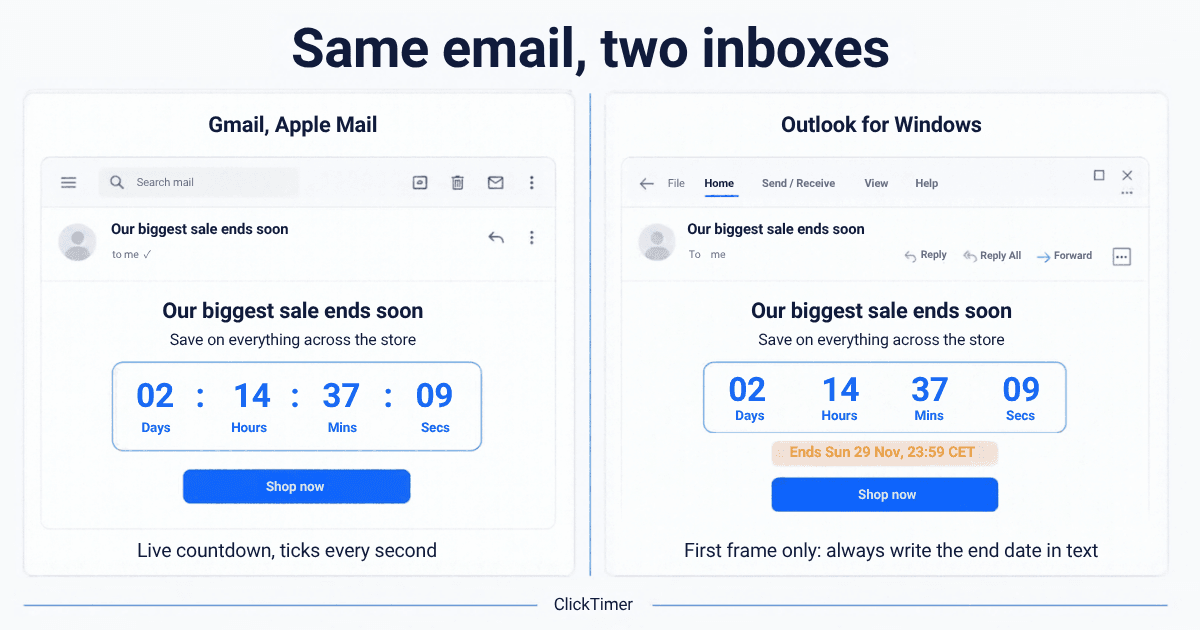
It works in Gmail, Apple Mail, Yahoo and most mobile apps. Outlook desktop for Windows shows the first frame only, so add the deadline in text.
How do I add the timer to my email?
Create it on app.clicktimer.co, copy the embed code and paste it into an HTML/Code block in Klaviyo, Mailchimp, HubSpot, Brevo, Omnisend, ActiveCampaign or another ESP.
Is there a free option for Cyber Monday?
Yes. You get 10,000 free impressions a month with no watermark. After that it's pay-as-you-go — the cheapest countdown ever.
Launch your Cyber Monday countdown
Create your timer in about a minute and paste it into any email platform that accepts an image.