Christmas 2026 countdown emails
Christmas Day 2026 is a Friday (25 December), which means your real deadline comes much earlier: the last day to order for delivery before Christmas. That's what your countdown timer should show. A live timer turns "order soon" into "2 days, 4 hours left for guaranteed delivery" — the kind of message gift buyers act on. With ClickTimer it's the cheapest countdown ever: 10,000 free impressions a month with no watermark, then from €0.23 per 10,000 impressions.
Create your countdown free 10,000 free impressions a month · No watermark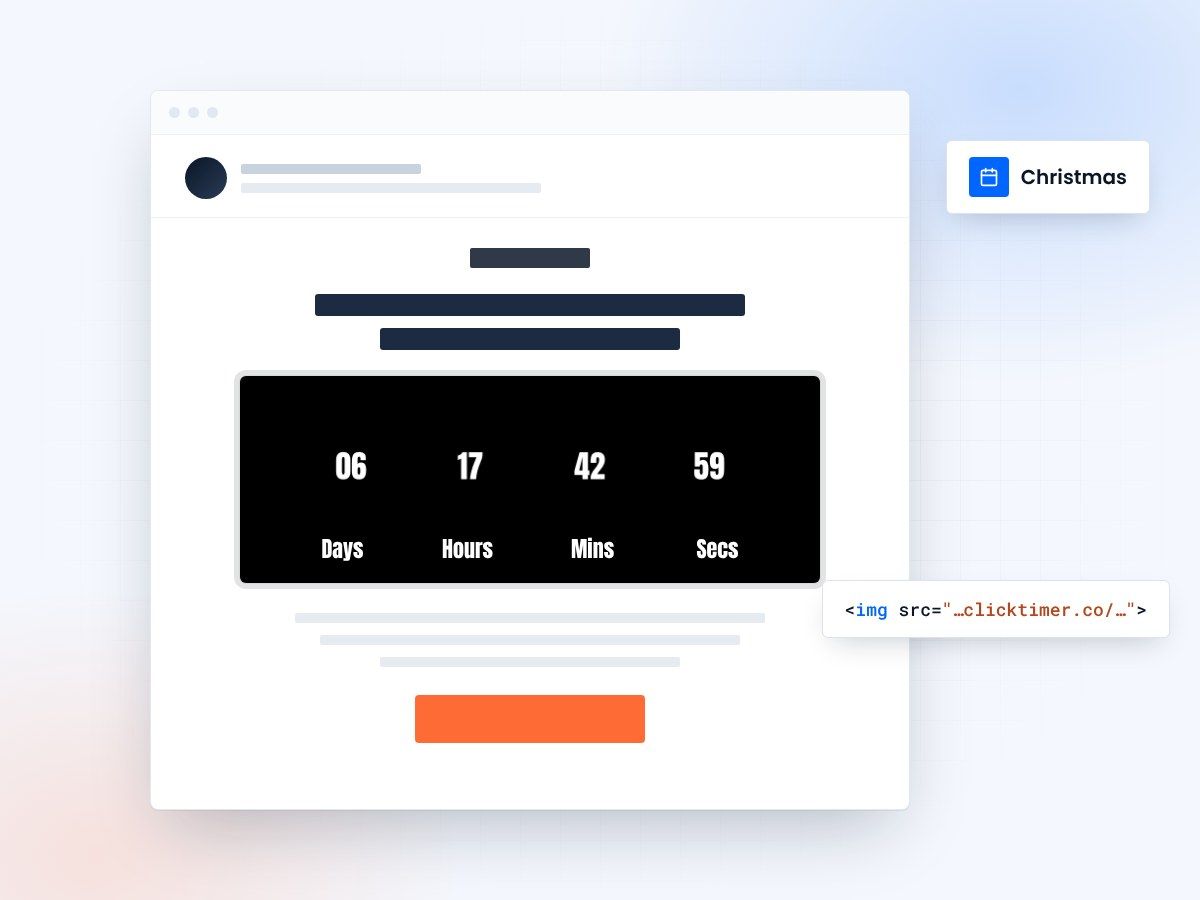
- A timer for every December deadline
- Updates at every open
- 10,000 free impressions a month
- No watermark, even on the free plan
Why countdowns lift Christmas email conversions
- Gift buyers have a hard deadline. Unlike Black Friday, the urgency is real and personal: if the gift doesn't arrive, it's a problem. A timer to your shipping cut-off makes that visible.
- December is a sequence, not a single send. Standard shipping, express shipping, click & collect, digital gift cards, Boxing Day: each phase has its own deadline and deserves its own timer.
- The timer updates at every open. An email opened three days after sending still shows the correct time left.
- It works for gift cards after the cut-off. When physical delivery is over, a timer to 24 December keeps digital gift card sales going.
Step-by-step setup
Create the countdown
- Open ClickTimerGo to app.clicktimer.co → New countdown.
- Set the end dateSet the end date to your carrier's last order date (not 25 December) and your audience's timezone.
- Pick a festive styleStyle: deep red, green or gold; choose from 900+ fonts (a serif or script font works well for Christmas).
- Set the expired stateSet the expired state ("Too late for delivery? Get a digital gift card") and copy the embed code.
Ideas: countdown timer email templates.
Klaviyo
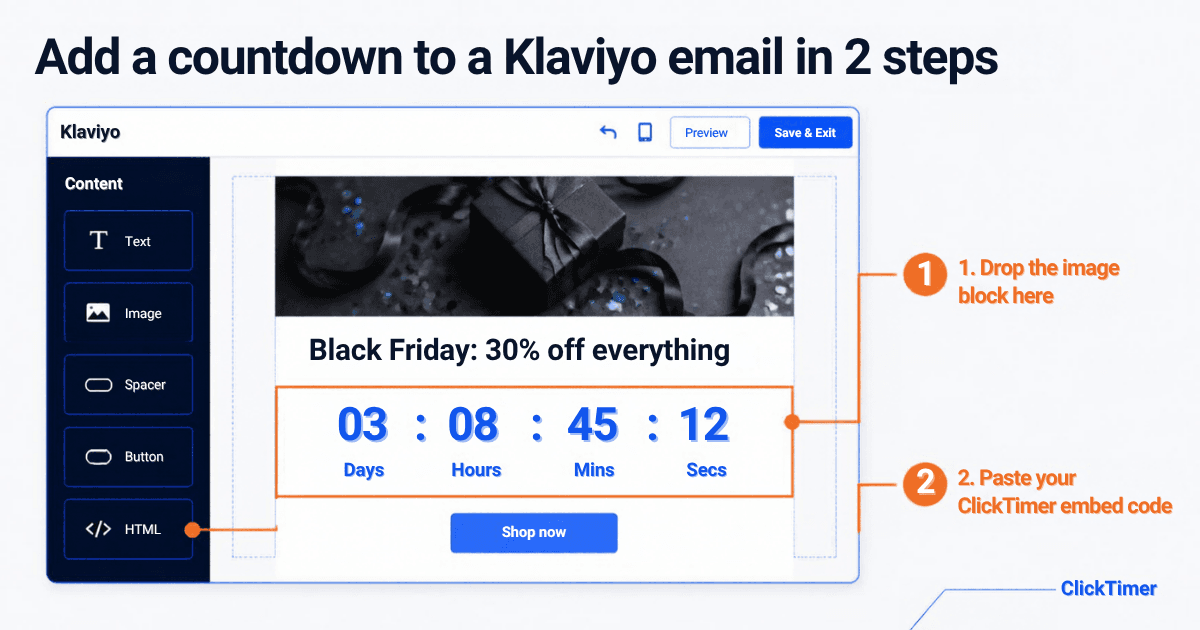
Add an HTML block, paste the code and preview. Tip: put the timer in a reusable block across your December flows. Guide: Klaviyo countdown timer.
Mailchimp
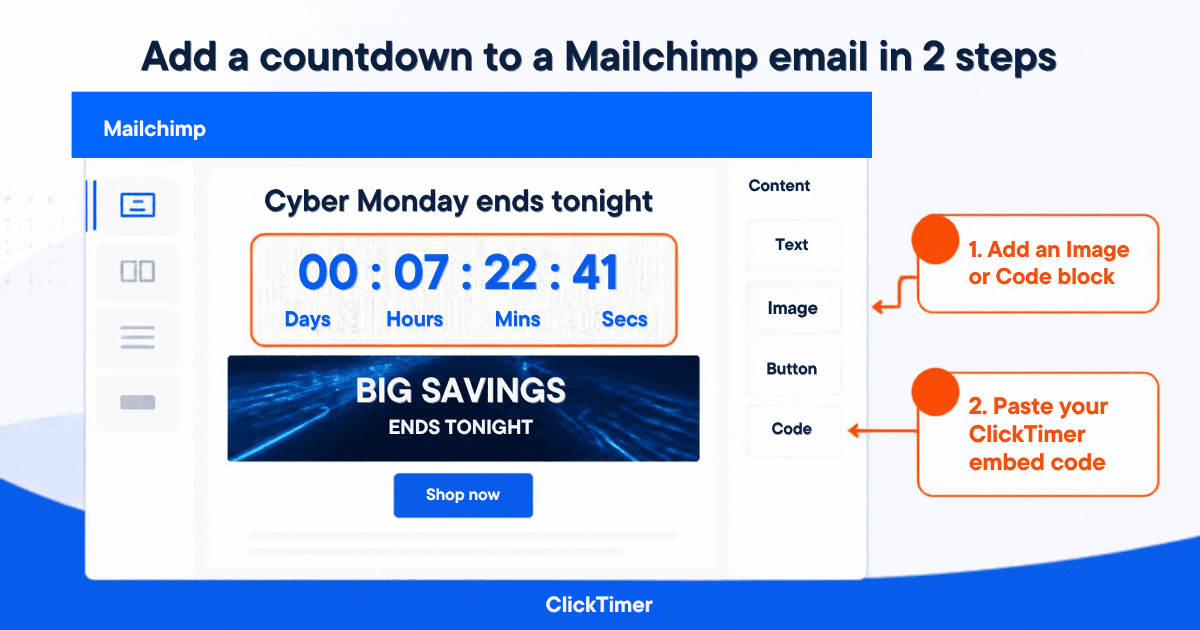
Insert a Code content block, paste, send a test.
Shopify Email
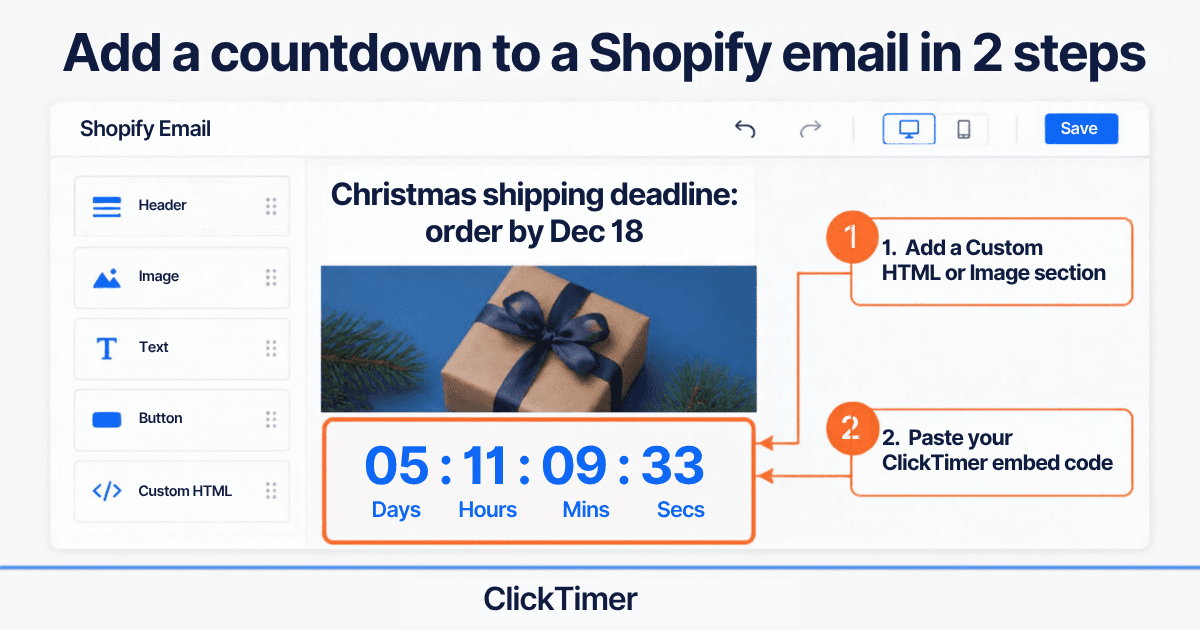
Use a section that accepts custom HTML/Liquid (if your editor offers it). If you can only upload an image, the timer won't be live — use the HTML option or a Shopify-connected ESP (Klaviyo, Omnisend).
3 subject line + timer combos
| Subject line | Timer counts down to | |
|---|---|---|
| Standard shipping | "Order by Tuesday for free delivery before Christmas" | Your standard cut-off |
| Express shipping | "Last call: express delivery ends in…" | Your express cut-off |
| Gift card rescue | "Too late to ship? This arrives in seconds." | Thu 24 Dec, 23:59 |
Create your Christmas countdown
Set your last order date, match your brand, copy the code. 10,000 free impressions a month, no credit card.
Already have an account?
Send Test Email
Enter your email to receive a preview of how this countdown looks in email campaigns.
Christmas 2026 send calendar
Shipping cut-offs below are examples — replace them with your own carrier dates.
| Date | Timer | |
|---|---|---|
| Tue 1 Dec | Christmas launch / gift guide (right after Cyber Monday, 30 Nov) | To standard cut-off |
| Thu 3 – Thu 10 Dec | Gift guides by budget / recipient | To standard cut-off |
| Tue 15 Dec | "Last days for standard delivery" | To standard cut-off (e.g. Wed 16 Dec) |
| Thu 17 Dec | "Express delivery: last call" | To express cut-off (e.g. Fri 18 Dec, 12:00) |
| Mon 21 Dec | Click & collect / local pickup | To pickup cut-off |
| Wed 23 – Thu 24 Dec | Digital gift card rescue | To Thu 24 Dec, 23:59 |
| Sat 26 Dec | Boxing Day / after-Christmas sale | To sale end |
| Thu 31 Dec | New Year sale | To 1 Jan |
What it costs
A full December sequence uses a lot of impressions — which is where pay-as-you-go pricing shines. 10,000 free impressions a month with no watermark, then €0.23 per 10,000 (10K–150K), €0.15 per 10,000 (150K–1M), €0.06 per 10,000 above 1M. Prepaid credits that never expire, no subscription.
Frequently asked questions
When should I start my Christmas 2026 emails?
Most brands start right after Cyber Monday (30 November), on Tuesday 1 December, and send through Boxing Day (Saturday 26 December).
What should my Christmas timer count down to?
Your last order date for delivery before Christmas, not Christmas Day. Use a separate timer for each deadline: standard, express, pickup, gift cards.
How many Christmas emails should I send?
Enough to cover each deadline — typically one email per phase, plus a reminder to non-openers before each cut-off.
Do countdown timers work in Outlook?
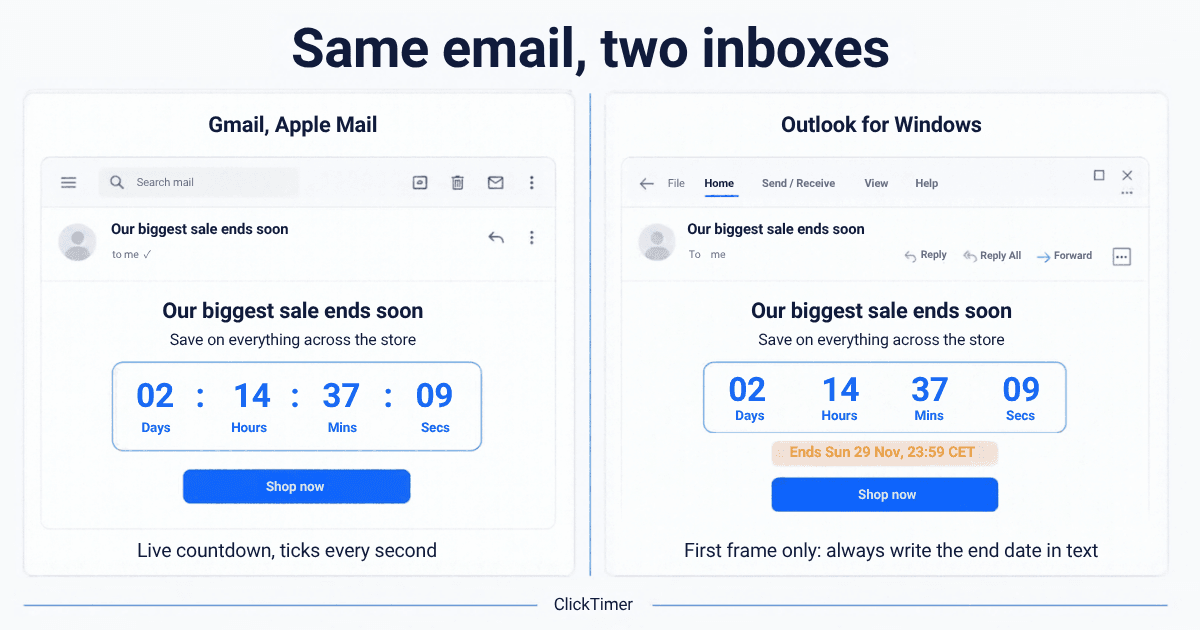
Outlook desktop for Windows shows the first frame only, which still displays the time remaining at open. Add the deadline in text as a fallback.
How much does ClickTimer cost for a Christmas campaign?
You get 10,000 free impressions a month with no watermark, then from €0.23 per 10,000 impressions with no subscription — the cheapest countdown ever.
Start your Christmas countdown
Set the timer to your carrier’s last order date and add it to every December email.