Black Friday 2026 email countdown timer
Black Friday 2026 falls on Friday, November 27, with Cyber Monday on Monday, November 30. Your subscribers' inboxes will be at their most crowded of the year. A live countdown timer is the simplest way to make your email the one that gets opened now instead of "later" — and with ClickTimer it's the cheapest countdown ever: 10,000 free impressions a month with no watermark, then from €0.23 per 10,000 impressions with prepaid credits that never expire and no subscription.
Create your countdown free 10,000 free impressions a month · No watermark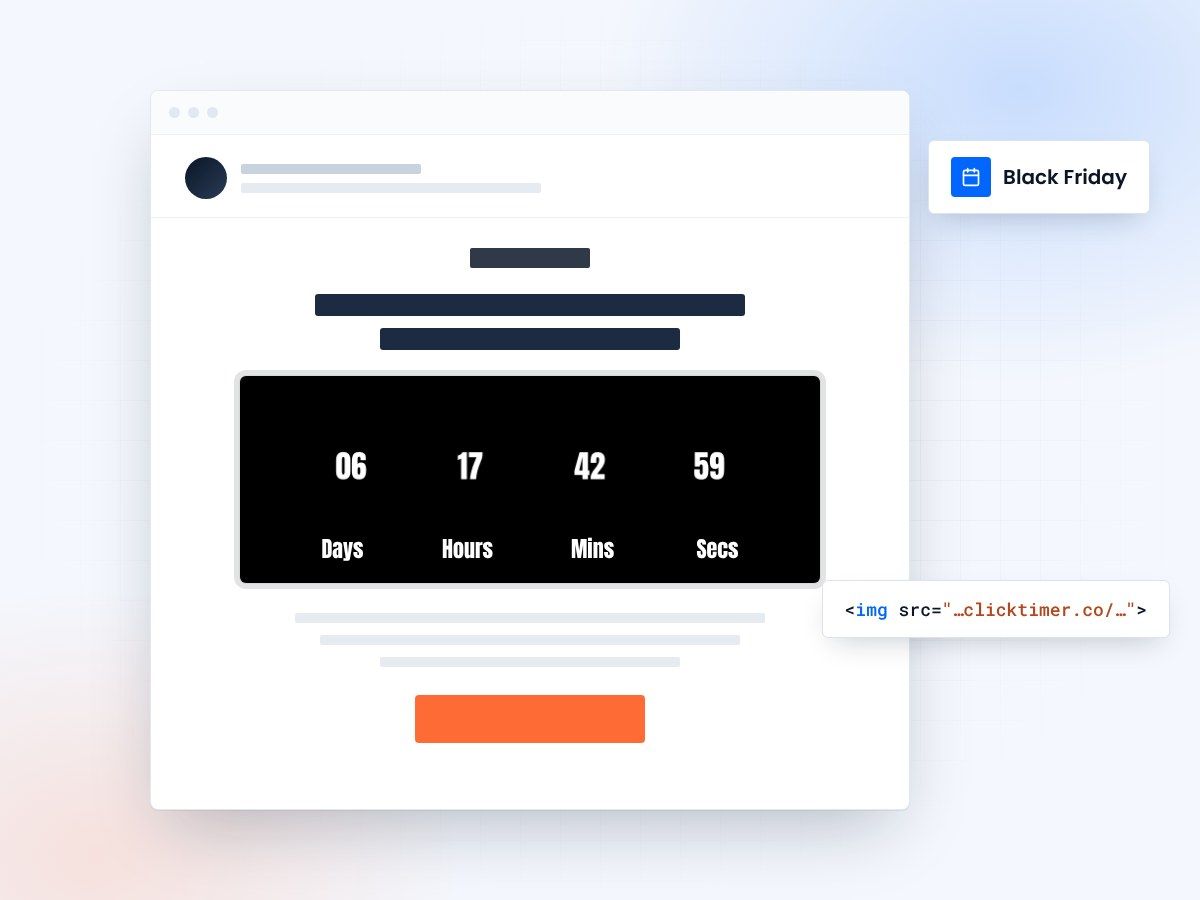
- Live at every open, not at send
- One timer per deadline
- 10,000 free impressions a month
- No watermark, even on the free plan
Why countdown timers lift Black Friday email conversions
- They turn a deadline into something you can see. "Ends Sunday" is easy to ignore. Digits ticking down in the email itself make the deadline concrete the moment the email is opened.
- They're live, not static. The timer is an image generated at open time, so a subscriber who opens Saturday night sees the real time left — not what was true when you hit send.
- They give every send in your sequence a reason to exist. Teaser, launch, flash deal, last chance: each email can count down to a different moment, which keeps a 6–8 email week from feeling repetitive.
- They pair naturally with honest scarcity. A timer only works if the deadline is real. When the offer genuinely ends at the time shown, subscribers learn your deadlines mean something — which pays off again at Christmas.
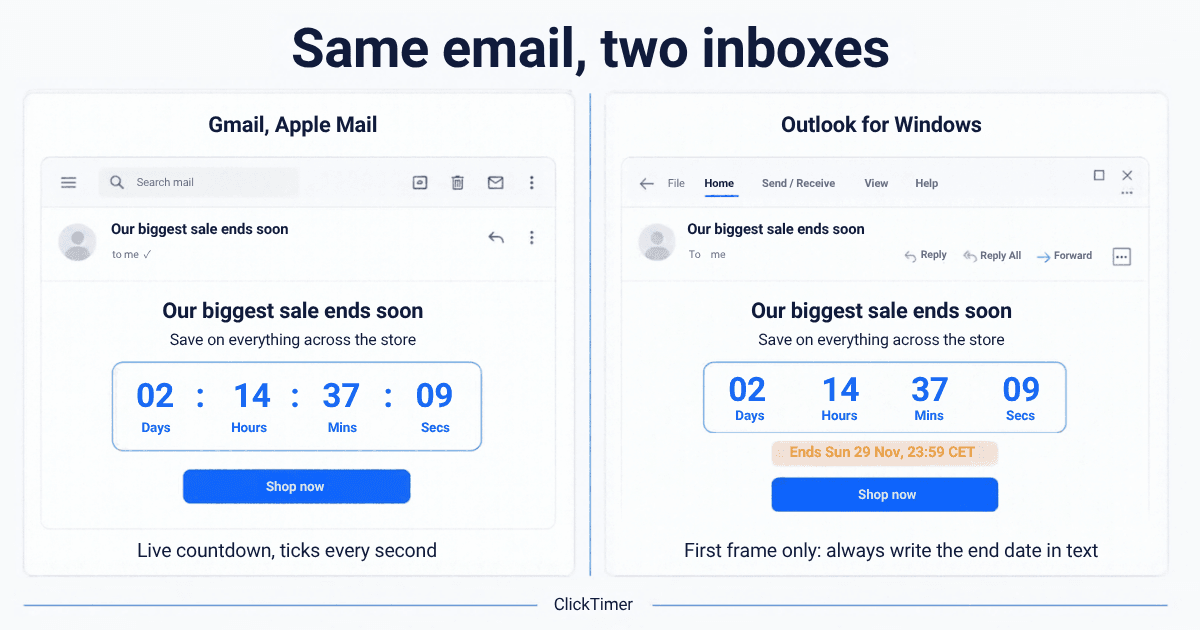
Write the end date in text too
Step-by-step setup
Create the countdown (all ESPs)
- Log inLog in to app.clicktimer.co and click New countdown.
- Set the deadlineSet the end date/time (e.g. 27 Nov 2026, 23:59) and the timezone of your main audience.
- Pick your stylePick your style: Black Friday works best with high contrast — black background, white or neon digits. Choose from 900+ fonts.
- Set the expired stateSet the expired state (e.g. "Deal ended — see Cyber Monday offers") so late openers don't see 00:00:00.
- Copy the codeCopy the embed code.
Need inspiration? Browse our countdown timer email templates.
Add the timer to your email platform
Klaviyo
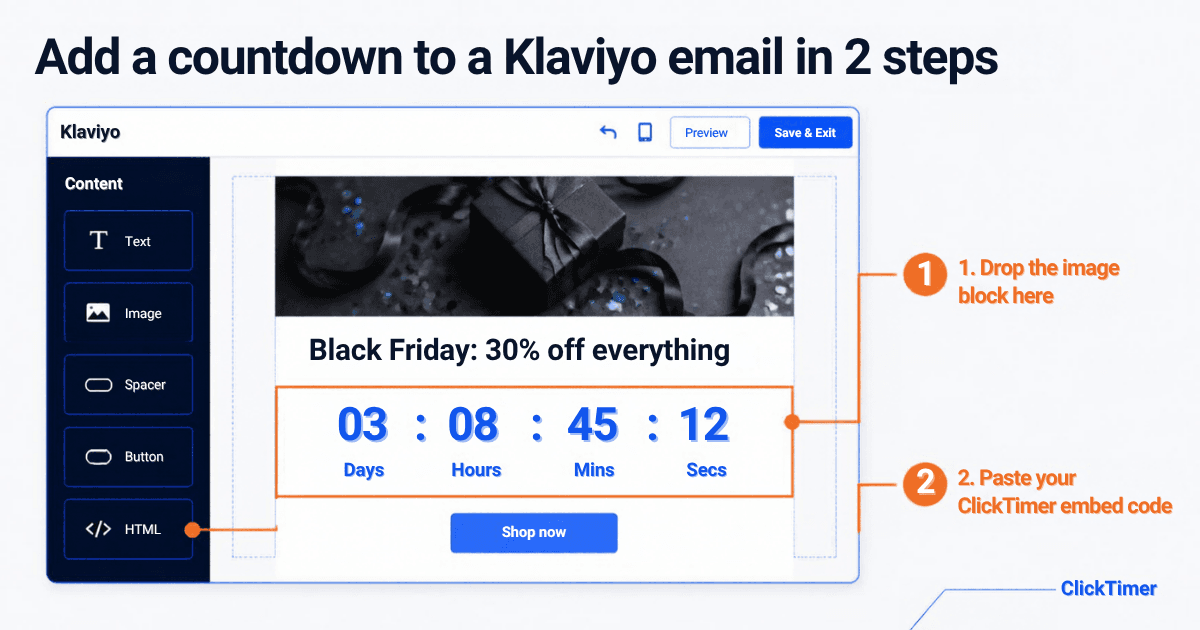
- Open your campaign in the drag-and-drop editor.
- Drag an HTML block where you want the timer (usually right under the hero).
- Paste the ClickTimer embed code and preview. Full walkthrough: Klaviyo countdown timer guide.
Mailchimp
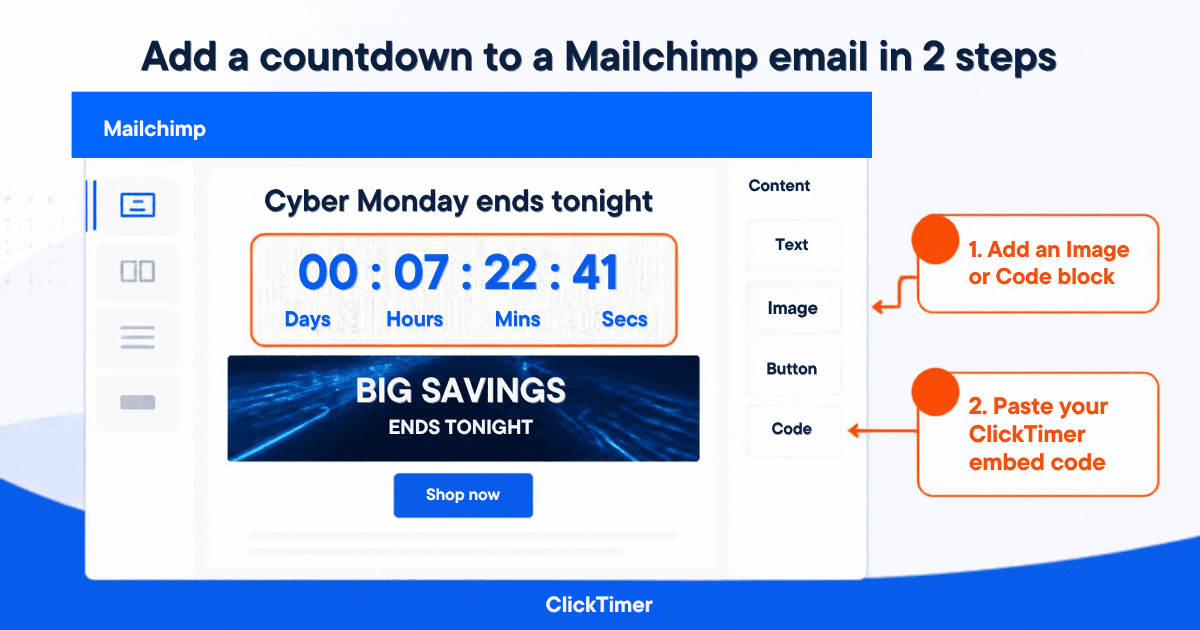
- In the email builder, add a Code content block.
- Paste the embed code, save, and send yourself a test.
Shopify Email
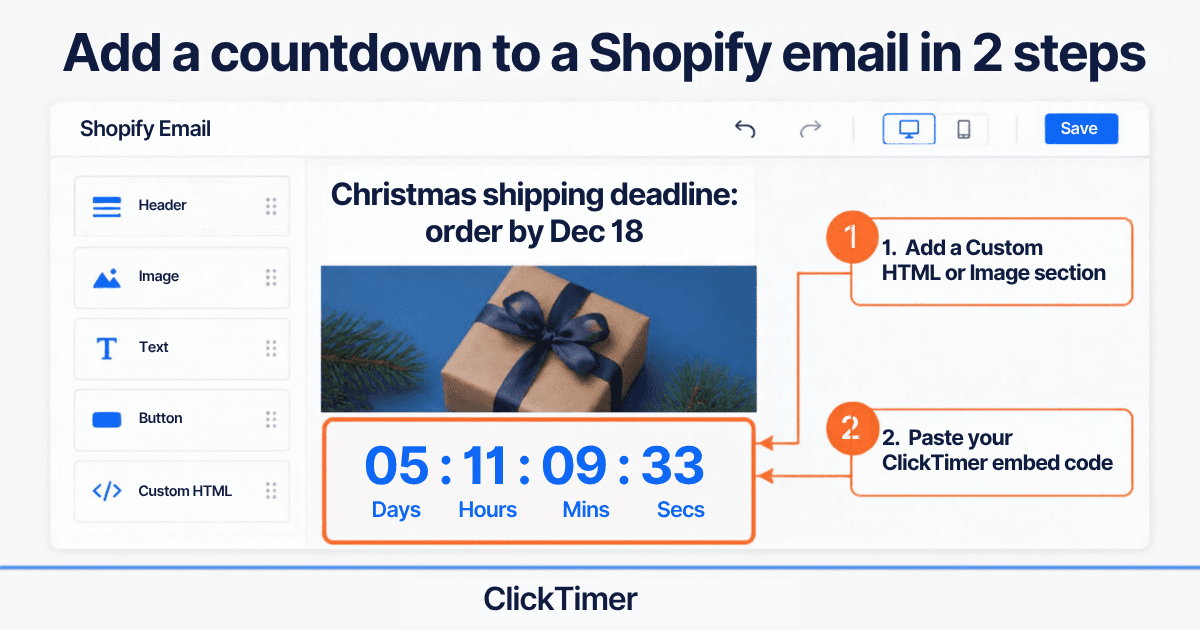
- In your Shopify Email template, add a section that accepts custom HTML/Liquid (if your editor offers it) and paste the embed code.
- If your template only lets you upload images, the timer would become static — use the HTML option or a Shopify-connected ESP like Klaviyo or Omnisend instead.
Create your Black Friday countdown
Set the end date and timezone, pick a high-contrast style, copy the code. 10,000 free impressions a month.
Already have an account?
Send Test Email
Enter your email to receive a preview of how this countdown looks in email campaigns.
Three subject line and timer combos
| Subject line | Timer counts down to | |
|---|---|---|
| VIP early access | "Your Black Friday access opens in…" | VIP opening (Thu 26 Nov, 18:00) |
| Launch | "It's live: up to 40% off until Sunday" | End of sale (Sun 29 Nov, 23:59) |
| Last chance | "Final hours — Black Friday ends tonight" | Tonight 23:59, with an "ended" fallback image |
Black Friday week 2026 send calendar
| Date | Timer | |
|---|---|---|
| Thu 19 Nov | Teaser: "Black Friday is coming — get on the VIP list" | To VIP opening |
| Mon 23 Nov | Black Week preview / early-bird deal | To early-bird end (Wed 25 Nov) |
| Wed 25 Nov | "48 hours to go" | To launch |
| Thu 26 Nov | VIP early access opens (Thanksgiving in the US) | To public launch |
| Fri 27 Nov, morning | Black Friday launch | To end of sale |
| Sat 28 Nov | 24h flash deal | To Sat 23:59 |
| Sun 29 Nov, evening | Last chance Black Friday | To Sun 23:59 |
| Mon 30 Nov | Cyber Monday (see our Cyber Monday guide) | To Mon 23:59 |
| Tue 1 Dec | "Extended 24h" for non-buyers | To Tue 23:59 |
What it costs
ClickTimer is pay-as-you-go: 10,000 free impressions a month with no watermark, then €0.23 per 10,000 (10K–150K), €0.15 per 10,000 (150K–1M) and €0.06 per 10,000 above 1M. No subscription, credits never expire — so the credits you buy for Black Friday still work at Christmas.
Frequently asked questions
When should I start my Black Friday 2026 emails?
Start teasing around Thursday 19 November and open early access on Monday 23 or Thursday 26 November. Black Friday itself is Friday 27 November 2026.
Should I use one timer for Black Friday and Cyber Monday?
No. Create one timer per deadline (Black Friday end, Cyber Monday end, extension). Each email should count down to the moment that matters for that email.
Which timezone should my timer use?
The timezone of the majority of your list. If you sell across regions, duplicate the timer per timezone and send to segmented lists.
Do countdown timers work in Outlook?
Outlook desktop for Windows shows only the first frame of the GIF. The timer still displays the time remaining at open, it just doesn't tick. Add the end date in text as a fallback.
Is ClickTimer really free for Black Friday?
Yes: 10,000 free impressions a month with no watermark. Beyond that you pay from €0.23 per 10,000 impressions with prepaid credits — the cheapest countdown ever.
Ready for Black Friday 2026?
Build your countdown in 2 minutes, paste it in Klaviyo, Mailchimp, HubSpot, Brevo, Omnisend, ActiveCampaign or Shopify Email, and send.