New Year Sale Countdown Email Strategies
Kick off Q1 with countdown-powered New Year sale campaigns that convert.
Create Your Timer — Free 10,000 free impressions a month · No watermark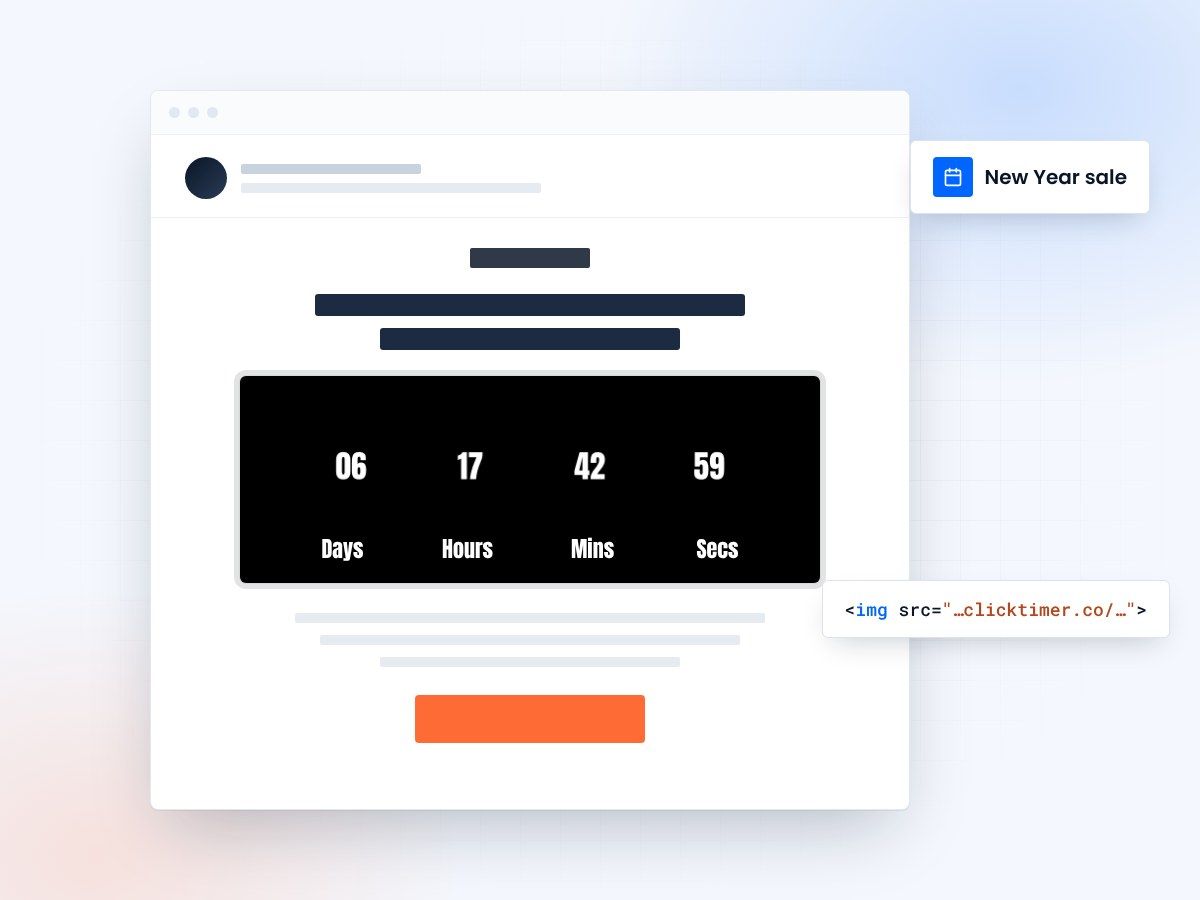
- Updates live on every open
- Works in every email platform
- 10,000 free impressions a month
- Prepaid credits that never expire
Why New Year sales deserve countdown timers
January is the ultimate fresh-start month. Consumers are motivated by New Year resolutions, post-holiday deals, and the psychological reset that comes with a new calendar year. But motivation fades fast — which is exactly why countdown timers in your New Year sale emails are so effective. They capture that early-January energy before it dissipates.
New Year sales face a unique challenge: email fatigue from the holiday season. Your subscribers were bombarded with Black Friday, Cyber Monday, and Christmas emails for weeks. A countdown timer helps your January email stand out by adding a visual, dynamic element that static "SALE" banners can't match. When the timer is ticking, it signals that this deal is real, time-limited, and worth acting on now.
ClickTimer's GIF-based countdown timers update in real time on every email open, creating genuine urgency in an inbox full of generic New Year sale announcements. The visual countdown cuts through post-holiday noise.
New Year sale campaign timeline
| When | Email type | Timer strategy |
|---|---|---|
| Dec 31 (NYE) | Midnight Launch | Countdown to midnight / sale start |
| Jan 1 | New Year Day Sale | 24-hour flash sale timer |
| Jan 2–3 | Resolution-Themed | Sale extension countdown (48h) |
| Jan 5–7 | Clearance Push | End-of-clearance countdown |
| Jan 10–15 | Last Chance January | Final January deals expiry timer |
Resolution-themed countdown strategies
New Year resolutions create natural product-category urgency.
Fitness
Fitness brands can run "Start your resolution — gym gear sale ends in [timer]" campaigns.
Productivity
Productivity apps can push "New year, new workflow — annual plan discount expires in [timer]."
Education
Education platforms can target "Learn something new this year — course enrollment closes in [timer]."
The psychological window for resolution purchases is roughly January 1–15. After that, motivation drops sharply. Your countdown timer serves double duty: it creates purchase urgency AND reminds subscribers that their resolution motivation is time-sensitive too. "Don't let your resolution become another broken promise — act while you're motivated."
Setting up New Year countdown timers
Creating a New Year sale timer with ClickTimer takes 30 seconds. Visit the timer configurator, set your sale end date and time, customize colors and fonts (900+ Google Fonts available), and paste the generated HTML code into an HTML block in your email template.
For New Year campaigns, consider clean, fresh styling — whites, silvers, and bold accent colors signal "new beginning." The timer works as a GIF image in every email service provider and every email client. No special code, no compatibility issues.
Create your New Year sale countdown
Set your sale end date, match your brand, copy the code. 10,000 free impressions a month, no credit card.
Already have an account?
Send Test Email
Enter your email to receive a preview of how this countdown looks in email campaigns.
Post-holiday email fatigue: how to stand out
Your subscribers just endured 6 weeks of holiday email bombardment. To cut through January inbox fatigue, keep your New Year emails clean and focused. One clear offer, one countdown timer, one CTA. Resist the urge to stuff multiple promotions into a single email.
The countdown timer itself is your differentiator. While competitors send static "January Sale" banners, your email has a living, breathing timer that updates every time it's opened. That dynamism grabs attention in a sea of same-looking promotional emails. Pair it with a subject line that leans into the fresh-start narrative: "2026 starts with 40% off (ends in 48 hours)."
One email, one job
- One clear offer
- One countdown timer
- One CTA
New Year timer pricing
| Impressions | Cost |
|---|---|
| 0 – 10,000 | Free (no watermark) |
| 10K – 150K | €0.23 per 10K impressions |
| 150K – 1M | €0.15 per 10K impressions |
| 1M+ | €0.06 per 10K impressions |
ClickTimer's pay-as-you-go model is perfect for seasonal campaigns. No monthly subscription means no wasted spend during quiet months. Buy credits for your New Year campaign, use what you need, and the rest carries forward to your Valentine's Day campaign. Competitors like MailTimers (€49/month) and Deadline Funnel ($49/month) charge whether you're running campaigns or not.
Frequently asked questions
Should I send New Year sale emails on January 1st?
Yes. January 1st has surprisingly high email open rates as people check phones during downtime. A well-timed morning send with a 24-hour countdown timer can capture gift-card spending and resolution-driven purchases.
How do I avoid email fatigue from the holiday season?
Keep New Year emails clean — one offer, one timer, one CTA. The countdown timer provides visual differentiation in a crowded inbox. Also segment your list to avoid sending to subscribers who unsubscribed during the holiday blitz.
Can I use leftover credits from my holiday campaign?
Yes. ClickTimer credits are prepaid and never expire. Credits purchased for your Christmas or Cyber Monday campaign carry forward to January and beyond.
What resolution-themed categories work best?
Fitness/wellness, productivity/organization, education/learning, and financial planning products all align naturally with New Year resolution urgency. Pair category-specific products with a timer that deadline-matches the "motivation window" (typically Jan 1–15).
Launch your New Year sale countdown
Create your first countdown timer in 30 seconds.