Countdown Timers for Luxury Brand Email Campaigns
Create exclusive urgency that matches your premium brand identity.
Create Your Timer — Free 10,000 free impressions a month · No watermark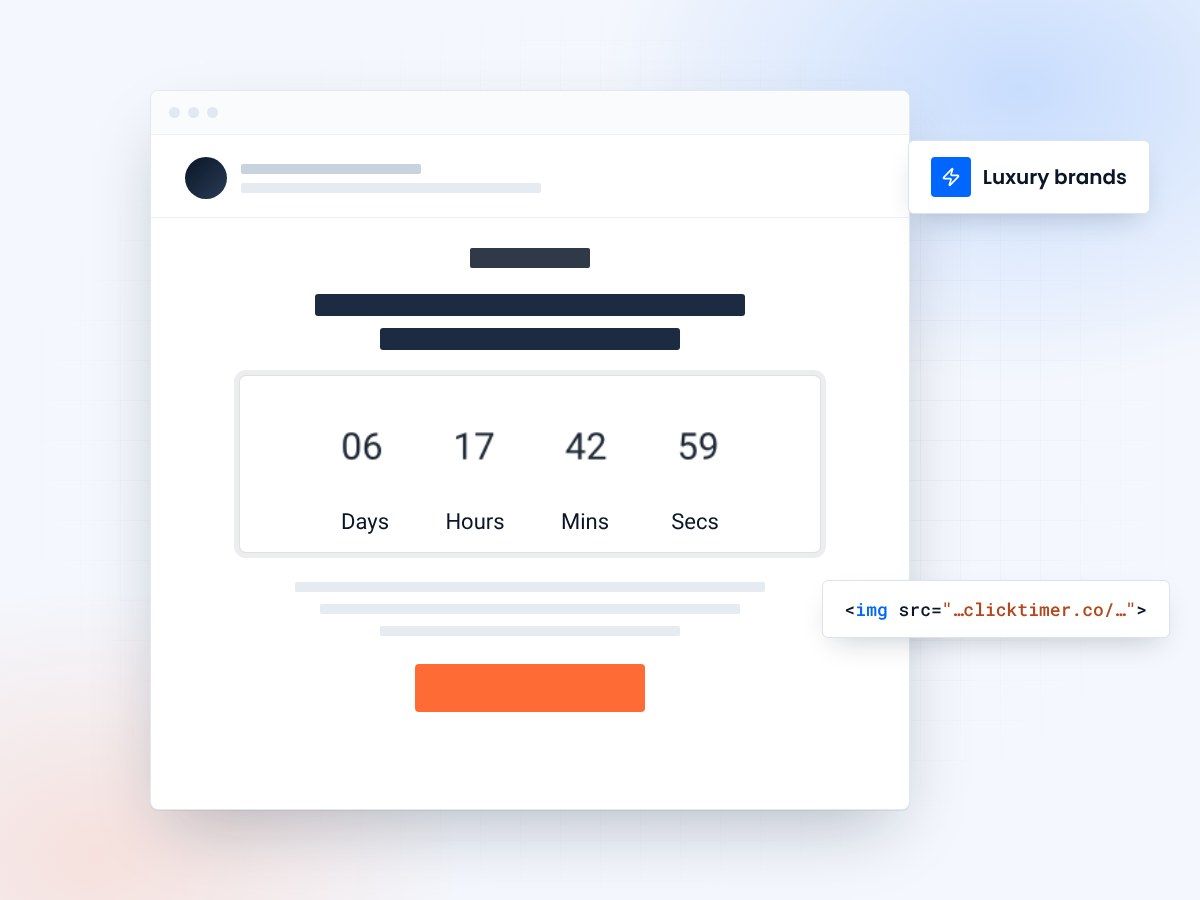
- 900+ Google Fonts to match your brand
- No watermark, even on the free plan
- 10,000 free impressions a month
- Prepaid credits that never expire
Why luxury brands need countdown timers
In the world of luxury marketing, scarcity and exclusivity drive desire. Countdown timers are the digital equivalent of a velvet rope — they signal to your audience that time is running out on something exceptional. Whether you're launching a limited-edition collection, offering private sale access, or promoting an exclusive event, a well-placed countdown timer transforms passive email readers into decisive buyers.
Luxury consumers respond to urgency differently than mass-market shoppers. They don't want to feel rushed — they want to feel privileged. The key is positioning your countdown as a window of opportunity rather than a pressure tactic. Brands like Hermès, Dior, and Net-a-Porter have mastered this approach, using timed exclusives that reward their most engaged subscribers.
With ClickTimer, you can create elegant countdown timers that match your brand aesthetic using 900+ Google Fonts, custom colors, and clean designs — no watermarks, even on the free tier. This means your timer feels like a natural extension of your luxury brand, not a cheap marketing gimmick.
How premium brands use email countdown timers
Luxury brands have specific use cases where countdown timers shine. Here are the most effective applications:
| Campaign type | Timer strategy | Expected impact |
|---|---|---|
| Limited edition launch | Count down to availability window | 2-4x higher open-to-click rate |
| Private sale access | Early access window for VIP members | 30-50% conversion lift vs. standard sale emails |
| Trunk show / pop-up | RSVP deadline countdown | Higher RSVP completion rates |
| Seasonal collection | Pre-order deadline timer | Increased pre-order volume |
| Complimentary gift | Gift-with-purchase expiry | Higher average order value |
Designing timers that match luxury aesthetics
The biggest mistake luxury brands make with countdown timers is using default, generic designs that clash with their carefully curated brand identity. A countdown timer in a Chanel email shouldn't look the same as one in a flash-sale discount retailer's campaign.
ClickTimer solves this with deep customization. You can select from over 900 Google Fonts to match your brand typography — whether that's a clean serif like Playfair Display or a minimalist sans-serif like Montserrat. Colors, sizes, and label text are all customizable, letting you create timers that feel intentional and on-brand.
Here are design principles for luxury countdown timers:
Minimalism over flash
Use muted colors and generous whitespace. A timer with black text on a cream background says "exclusive" far more than neon colors ever could.
Typography matters
Match the timer font to your brand fonts. If your brand uses Didot, don't pair it with a countdown in Arial. With ClickTimer's 900+ font options, you'll find the right match.
Strategic placement
Position the timer after your hero image and key copy, not before. Let the product story build desire first, then let the timer create urgency.
Luxury Brand Timer Tip
Use language like "Private access closes in..." or "Reserve yours before..." instead of "HURRY! Sale ends in...". Luxury consumers respond to exclusivity cues, not pressure tactics. Pair your ClickTimer countdown with copy that makes recipients feel like insiders, not targets.
Campaign examples for luxury brands
The Private Sale Invitation
Send a two-part email series. The first email announces exclusive early access for loyalty members, with a countdown timer showing when access opens. The second email, sent when the sale is live, includes a timer counting down to when the sale ends or opens to the public. This creates a double urgency — first to be ready, then to act.
The Limited Edition Drop
For capsule collections or artist collaborations, send a teaser email 48 hours before the drop with a countdown to launch. On launch day, a new timer counts down the remaining availability window. Brands like Supreme and Off-White have proven this model drives massive engagement.
The VIP Experience
Invite your top-tier customers to exclusive events — whether digital or physical. Use a countdown to the RSVP deadline, then a second countdown to the event itself. This works beautifully for fashion shows, private viewings, and trunk shows.
The Gifting Moment
During holiday seasons, send countdown emails to key gifting deadlines — "Order by Friday for guaranteed Christmas delivery." Luxury brands like those using major ESPs find this particularly effective for driving last-minute premium purchases.
Create your luxury brand countdown
Set the end date, match your fonts and colors, copy the code. 10,000 free impressions a month, no credit card.
Already have an account?
Send Test Email
Enter your email to receive a preview of how this countdown looks in email campaigns.
Setting up your luxury brand timer
Getting started takes less than 30 seconds with ClickTimer:
- Set the end dateVisit ClickTimer's timer configurator and set your countdown end date and time.
- Match your brandChoose a font that matches your brand identity from 900+ Google Fonts. Select colors that align with your brand palette.
Pricing that works for premium brands
Luxury brands often have smaller, more targeted email lists — which makes ClickTimer's pay-as-you-go pricing model particularly attractive. There are no monthly subscriptions or long-term commitments.
The free tier covers up to 10,000 impressions with no watermark — a rarity among countdown timer providers. Beyond that, pricing scales based on usage: €0.23 per 10K impressions up to 150K, €0.15 per 10K from 150K to 1M, and just €0.06 per 10K for 1M+. Credits are prepaid and never expire.
Compare this to competitors like MailTimers at €49/month or Deadline Funnel at $49/month — ClickTimer is significantly more cost-effective, especially for brands with curated, smaller lists that don't generate millions of impressions monthly.
Frequently asked questions
Can I match the timer font to my luxury brand's typography?
Yes. ClickTimer offers 900+ Google Fonts, so you can find serif, sans-serif, or display fonts that match your brand identity perfectly.
Will the timer show a watermark in my emails?
No. ClickTimer's free tier (up to 10,000 impressions) includes no watermark — unlike competitors such as Sendtric that add branding to free timers.
Does it work with Salesforce Marketing Cloud and other enterprise ESPs?
Absolutely. ClickTimer generates a simple HTML code that works with every email service provider, including enterprise platforms like SFMC, Adobe Campaign, and Oracle Responsys.
How does the timer look after the countdown ends?
Once the countdown reaches zero, the timer displays all zeros (00:00:00:00), signaling that the offer has expired. This maintains a clean look in your luxury emails.
Try ClickTimer free
Create your first countdown timer in 30 seconds.