Valentine's Day Countdown Email Strategies
Create urgency around the most romantic shopping deadline of the year.
Create Your Timer — Free 10,000 free impressions a month · No watermark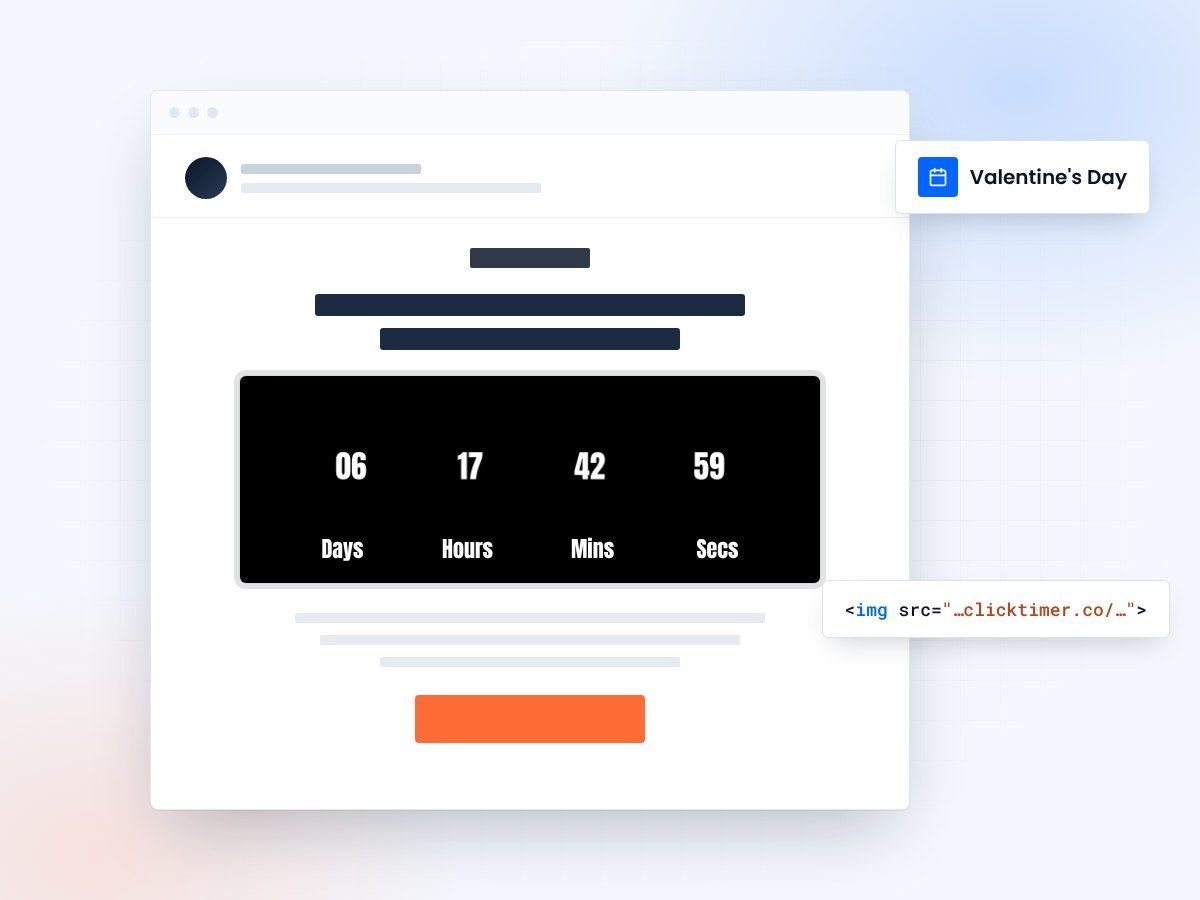
- Count down to every shipping cutoff
- 900+ Google Fonts for on-theme styling
- 10,000 free impressions a month
- No watermark, even on the free plan
Why Valentine's Day emails need countdown timers
Valentine's Day is the ultimate deadline-driven shopping event. February 14th doesn't move, and the consequences of missing it are personal — nobody wants to show up empty-handed. That emotional urgency makes Valentine's Day emails the ideal canvas for countdown timers. When your subscribers see a live timer ticking toward the gift-buying deadline, it transforms a passive browse into an active purchase.
The real power of a Valentine's countdown isn't just about the day itself. It's about shipping deadlines. Most gift buyers need to order 3–5 days early to guarantee delivery. A countdown timer showing "Order by February 10th for guaranteed Valentine's delivery" is far more actionable than the holiday date alone. This is where ClickTimer shines — create timers for multiple deadlines: shipping cutoff, in-store pickup cutoff, and the actual holiday.
Valentine's Day consistently ranks as a top-5 ecommerce holiday, with consumers spending billions on gifts, dining, and experiences. A well-placed countdown timer in your email campaigns can capture a meaningful share of that spending by turning procrastinators into buyers.
Valentine's Day email campaign timeline
The Valentine's shopping window is about two weeks. Here's an optimized send schedule with countdown timer strategies for each stage:
| Date | Email Type | Timer Countdown To |
|---|---|---|
| Feb 1 | Gift Guide Launch | Feb 14 — "14 days of love" |
| Feb 5 | Category Spotlight | Shipping deadline (Feb 10) |
| Feb 8 | Early Bird Sale | Sale end date (Feb 9) |
| Feb 10 | Shipping Deadline Alert | Last ship date (midnight) |
| Feb 12 | Last-Minute Gifts | Express shipping cutoff |
| Feb 13 | Digital Gift Cards | Feb 14 — "Tomorrow is V-Day" |
| Feb 14 | Same-Day Options | Store closing time |
Setting up Valentine's countdown timers
Pick your deadline
Creating a Valentine's Day countdown timer takes just 30 seconds with ClickTimer's configurator. Set your end date to your chosen deadline — whether that's the shipping cutoff, sale end, or Valentine's Day itself.
Style it for Valentine's
Style your timer to match the Valentine's theme: reds, pinks, and warm tones work best. With 900+ Google Fonts available, you can pick something romantic like a script font for the label or something bold for the digits. The timer comes as an HTML code that you paste into any email builder — it works with every email service provider.
Create two separate timers: one counting down to the shipping cutoff and one to Valentine's Day itself. Use the shipping timer in your Feb 5–10 emails and switch to the Valentine's timer for Feb 12–14 sends. This double-deadline approach creates two urgency peaks instead of one. With ClickTimer's pay-as-you-go pricing, running multiple timers costs virtually nothing.
Create your Valentine's Day countdown
Set the deadline, pick your colors, copy the HTML code. 10,000 free impressions a month, no credit card.
Already have an account?
Send Test Email
Enter your email to receive a preview of how this countdown looks in email campaigns.
Valentine's email design that converts
Place it above the fold
Valentine's Day emails should balance romance with urgency. Place your countdown timer prominently — above the fold, below a simple header. Surround it with emotional copy that speaks to the gift-giver's desire to delight their partner, not just the discount amount.
Palette and curation
Color palette matters: soft pinks and deep reds for romantic products, or clean whites and golds for luxury gifting. Avoid cluttering the email with too many products. Feature 3–5 curated gift picks below the timer, each with a clear price point and "Shop Now" button. The timer creates the urgency; your curation closes the sale.
Subject lines and preview text
For subject lines, lean into both emotion and urgency: "5 days until Valentine's — order now for guaranteed delivery" or "The gift they'll never forget (order by Friday)." Pair these with preview text that references the countdown: "Timer is ticking on free shipping."
Segmentation for Valentine's campaigns
Segment by behavior
Segment your audience for Valentine's Day by purchase history and browsing behavior. Send jewelry and luxury gift countdowns to high-AOV customers, experience gifts (dinners, spa treatments) to service-oriented buyers, and budget-friendly options to price-sensitive segments. Each segment gets the same countdown urgency but with different product recommendations.
The self-love segment
Don't forget the self-love segment — "Treat yourself this Valentine's Day" campaigns with countdown timers for self-care sales perform surprisingly well and broaden your audience beyond couples. If you use Klaviyo, you can set up automated flows that trigger different timer emails based on real-time browsing activity during the Valentine's shopping window.
Valentine's timer pricing
Running a full Valentine's Day countdown campaign with ClickTimer is remarkably affordable. The free tier covers 10,000 impressions with no watermark — enough for testing or small lists. Beyond that, pricing scales with usage:
| Impressions | Cost |
|---|---|
| 0 – 10,000 | Free (no watermark) |
| 10K – 150K | €0.23 per 10K impressions |
| 150K – 1M | €0.15 per 10K impressions |
| 1M+ | €0.06 per 10K impressions |
A 7-email Valentine's campaign to 30,000 subscribers might generate 150,000 total impressions — costing about €3.45 total. No monthly subscription, no commitment. Credits are prepaid and never expire, so leftover credits roll into your Easter campaign or Mother's Day emails.
Frequently asked questions
When should I start my Valentine's Day email campaign?
Start around February 1st with a gift guide and countdown to the holiday. Intensify sends around your shipping deadline (typically Feb 8–10) and switch to digital gift options after the shipping window closes.
Can I customize the timer to match Valentine's branding?
Yes. ClickTimer offers full color customization and 900+ Google Fonts. Use reds, pinks, and romantic styling to match your Valentine's creative across all email clients.
What should my timer count down to — Valentine's Day or shipping deadline?
Both, at different stages. Use shipping deadline timers for early-campaign emails (Feb 1–10) and Valentine's Day timers for last-minute emails (Feb 11–14). This creates two urgency peaks.
Do countdown timers work on mobile?
Yes. ClickTimer's GIF-based countdown timers are fully responsive and render correctly on all mobile email clients including the Gmail app, Apple Mail, and Outlook mobile.
Start your Valentine's countdown today
Create your first countdown timer in 30 seconds.