Seasonal Countdown Timer Emails
Capitalize on seasonal demand with time-bound promotional campaigns
Create Your Timer — Free 10,000 free impressions a month · No watermark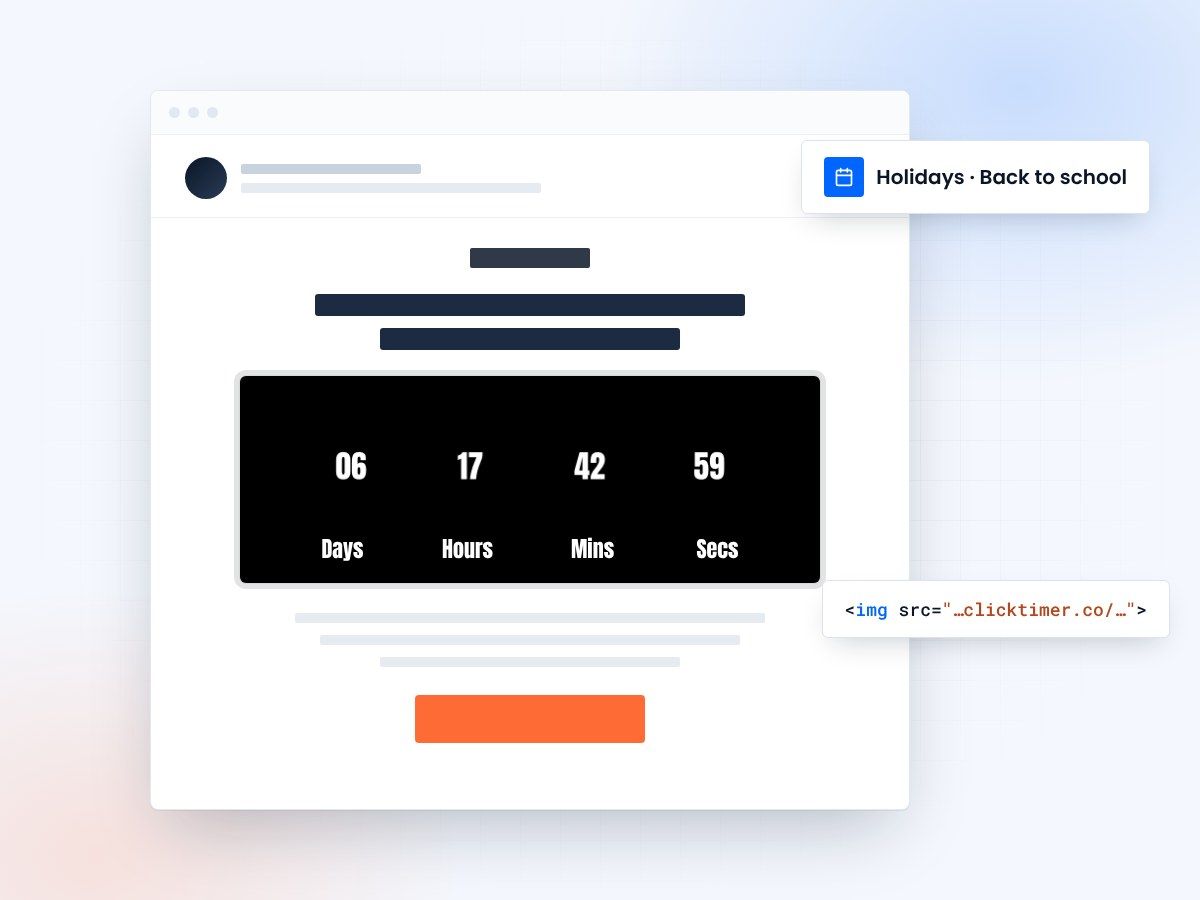
- Count down to real seasonal deadlines
- Works in any email platform
- 10,000 free impressions a month
- No watermark, even on the free plan
Seasonal shopping runs on deadlines
Seasonal shopping has defined windows. Customers buy holiday gifts in November-December. They buy back-to-school supplies in August.
They buy summer gear in May-June. Valentine's Day shopping is concentrated in the two weeks before February 14. These windows exist because customers have external deadlines (holidays, events, season changes) that drive purchasing urgency.
A countdown timer email amplifies this natural seasonal urgency. Rather than sending one "Holiday Sale Now Open" email, you send a sequence of countdown timer emails that escalate urgency as the seasonal window closes. Email 1 (November 1): "Holiday shopping starts now—29 days to ship by Dec 24." Email 2 (November 15): "15 days left for standard shipping." Email 3 (December 5): "19 days until Christmas—5 days left for express shipping." Each email uses a countdown timer showing a different deadline, creating multiple conversion opportunities across different customer segments and decision timelines.
- Countdown timers increase email engagement by creating urgency
- Visual timers improve click-through rates and conversions
- Time-sensitive messaging drives immediate action
How to time countdowns for each season
Holidays, back to school and Valentine’s Day each have their own window and their own real deadline.
Holiday season
The holiday season is the highest-earning period for most retail businesses. Revenue can increase 3-5x compared to typical months. Email marketing is critical during this period, and countdown timers are among the most effective tools.
Start your holiday email campaign early: Begin sending "holiday is coming" emails in September-October to prime your audience. Then launch your holiday sale on October 20-25 with a countdown timer showing "5 weeks to holiday deadline." This gives early shoppers time to plan while maintaining urgency.
In November, shift messaging to shipping deadlines: "Order by November 20 for standard shipping delivery before Christmas." Use a countdown timer showing days remaining. In December, escalate urgency: "Last 3 days for next-day delivery," "Final 24 hours for Christmas delivery," "Order in next 8 hours." Each countdown timer email should reference the actual deadline (Christmas shipping cutoff for your carrier) to maintain credibility. Track which emails in the holiday sequence drive highest conversion—often the final "last chance" emails outperform early promotions by 3-5x.
Back to school
Back-to-school shopping occurs in a compressed 6-8 week window. Parents are buying for specific start dates (typically late August or early September), creating natural time constraints. Email campaigns should reflect this compressed window.
Launch your back-to-school campaign on June 15 with "8 weeks to school year start." Include a countdown timer. Send follow-up emails with escalating urgency as August approaches.
Use specific deadline messaging: "School starts August 28—only 4 days left to receive your order in time." This works because parents have an actual hard deadline (their child's school start date) and using that real deadline in your email creates authentic urgency rather than artificial scarcity. Back-to-school emails can reference product categories strategically: "Don't forget backpacks, shoes, and tech supplies" as the shopping window narrows. Offer extended deadlines for digital products (e-books, software, online courses) since these don't require shipping.
Valentine’s Day
Valentine's Day is concentrated and time-sensitive. Most Valentine's shopping happens January 25-February 12. Jewelry, flowers, romantic gifts, and experience-based products see massive spikes. Email campaigns should start in mid-January with "4 weeks to Valentine's Day" messaging and countdown timers.
Include shipping deadline reminders—roses and flowers require guaranteed delivery dates, jewelry should be ordered with time for personalizations. The emotional aspect of Valentine's Day creates urgency naturally: a customer wants to ensure their gift arrives on time. Use this in your countdown copy: "Make sure your gift arrives by Valentine's Day.
Order by February 10 for guaranteed delivery." Include countdown timers. Also leverage the romantic aspect—use warmer, more emotional email design during Valentine's season compared to other seasonal campaigns. Wedding season (spring-summer) and anniversary gift shopping follow similar patterns with concentrated windows and emotional urgency drivers.
Impact metrics
| Metric | Impact | Result |
|---|---|---|
| Email Open Rates | Countdown timers in subject lines | ↑ 25-40% |
| Click-Through Rates | Visual timer elements in content | ↑ 18-35% |
| Conversion Rates | Urgency-driven messaging | ↑ 12-30% |
| Customer Action Speed | Limited-time offers | 3x Faster |
Create your seasonal countdown
Set the date of your shipping cutoff or event, match your brand, copy the code. 10,000 free impressions a month, no credit card.
Already have an account?
Send Test Email
Enter your email to receive a preview of how this countdown looks in email campaigns.
Best practices
Do
- Use realistic, achievable deadlines
- Make timers visually prominent
- Test countdown copy variations
- Update timers in follow-up emails
Don’t
- Use fake countdown timers
- Overuse urgency messaging
- Hide expiration dates
- Forget to honor deadlines
Frequently asked questions
How do countdown timers affect email deliverability?
Countdown timers don't directly impact deliverability. However, ensure your timer code is clean HTML/CSS and avoid heavy JavaScript that could trigger spam filters. Test emails with major providers before sending.
Should I use the same deadline for all recipients?
Segmentation is recommended. Send time-zone adjusted emails with recipient-specific deadlines for maximum relevance. This prevents last-minute send volume spikes.
What's the optimal countdown duration?
24-72 hours is typically ideal for urgency without creating undue pressure. Test different durations with your audience to find the sweet spot.
How do I ensure timer accuracy across clients?
Use server-side rendering or dynamic content blocks that calculate time differences server-side. This ensures consistency across all email clients, from Gmail to Outlook.
Try ClickTimer free
Create your first countdown timer in 30 seconds and start driving urgency-based conversions today.