Countdown Timers for Restaurant Email Marketing
Drive reservations, promote limited menus, and boost delivery orders with real-time urgency.
Create Your Timer — Free 10,000 free impressions a month · No watermark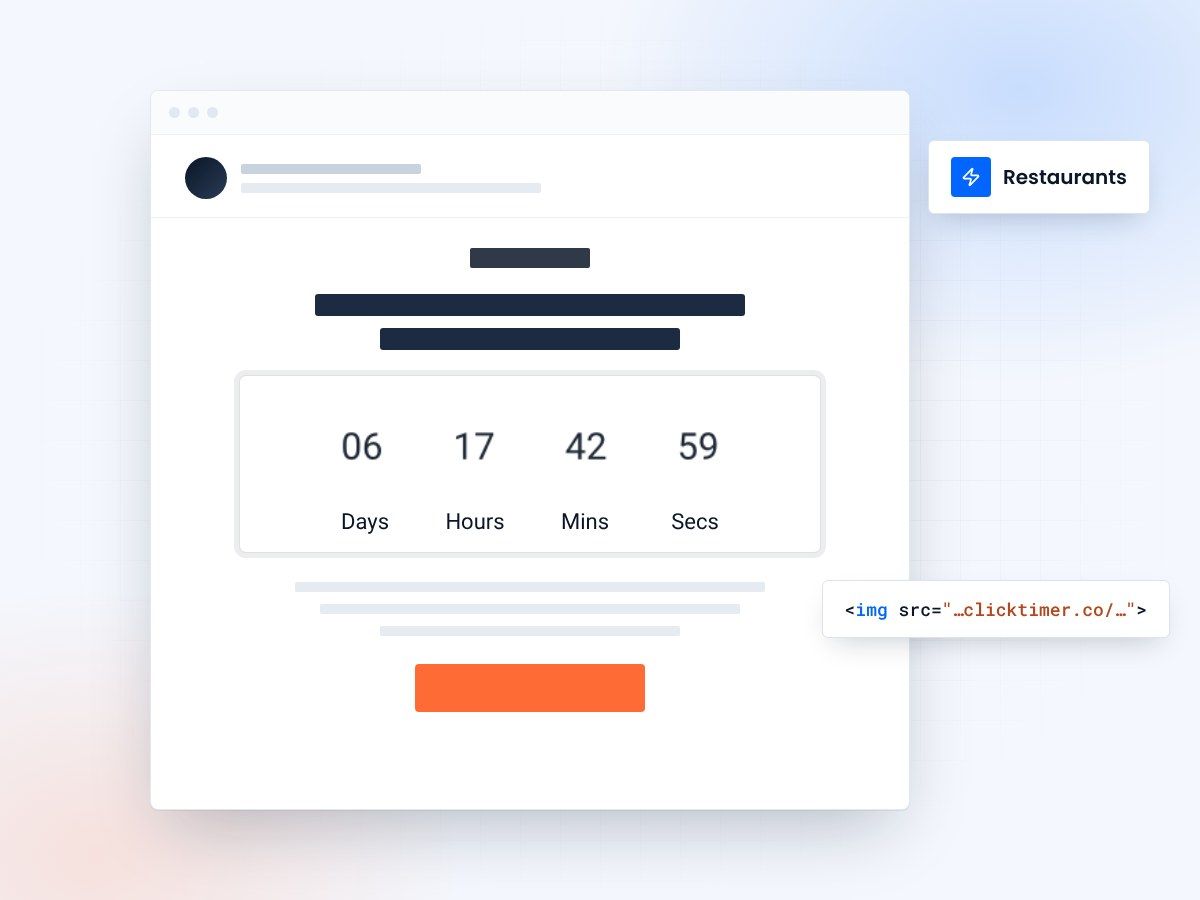
- Reservations, menus and delivery deals
- 900+ Google Fonts, your brand colors
- 10,000 free impressions a month
- No watermark, even on the free plan
Why restaurants need countdown timers in emails
Restaurant email marketing thrives on urgency. Whether you're promoting a weekend brunch special, a limited-time seasonal menu, or a flash delivery discount, your customers need a reason to act now rather than later. That's where countdown timers come in.
A countdown timer embedded in your email creates a visual sense of urgency that plain text simply cannot match. When a subscriber opens your email and sees hours and minutes ticking away on a "Book by Friday for 20% off" offer, the psychological impact is immediate. Research consistently shows that urgency-based marketing can increase conversion rates by 30% or more — and restaurants are perfectly positioned to leverage this.
Unlike static images, ClickTimer's GIF-based countdown timers update in real time every time the email is opened. This means whether your customer checks the email at 9 AM or 5 PM, they see the accurate remaining time — no stale content, no confusion.
Top use cases for restaurant countdown timers
Restaurants operate on tight timelines — daily specials, happy hours, reservation windows, and delivery promotions all have natural deadlines. Here are the most effective ways to use countdown timers in your restaurant email campaigns:
Reservation deadlines
Valentine's Day dinner, New Year's Eve gala, Mother's Day brunch — these high-demand events fill up fast. Send an email with a countdown timer showing exactly how long until reservations close. This creates FOMO and drives immediate bookings. Pair it with a direct link to your reservation system (OpenTable, Resy, or your own booking page) for frictionless conversion.
Limited-time menu promotions
Seasonal menus, chef's specials, and collaboration dishes are inherently time-limited. A countdown timer reinforces that scarcity. "Our truffle pasta is available for 3 more days" hits differently when there's a live timer counting down beside it. This works especially well for fine dining and fast-casual concepts alike.
Food delivery flash sales
Running a "Free delivery this weekend" or "20% off orders over $30 until midnight" campaign? A countdown timer makes the deadline impossible to ignore. Ghost kitchens and delivery-first restaurants can especially benefit, since their entire customer journey happens digitally.
Happy hour and event reminders
Send a same-day email at noon with a timer counting down to your 5 PM happy hour. It creates anticipation and gives customers a visual reminder of exactly when the deals start. This also works for live music nights, trivia events, and wine tasting sessions.
Loyalty and rewards expiration
If your restaurant has a loyalty program, countdown timers are perfect for "Your reward expires in 48 hours" emails. This drives repeat visits and reduces reward forfeiture rates, which keeps your loyalty members engaged and spending. For more on this strategy, check out our guide on loyalty rewards countdown emails.
How to set up a restaurant countdown timer
Setting up a countdown timer for your restaurant emails takes just 30 seconds with ClickTimer. Here's the process:
- Set your deadlineGo to ClickTimer's timer configurator and set your deadline (e.g., "Saturday 10 PM" for a weekend special).
- Customize the lookCustomize the look — choose from 900+ Google Fonts, pick your brand colors, and select a style that matches your restaurant's aesthetic. A rustic Italian place might use warm tones and serif fonts; a modern sushi bar might go minimal with clean sans-serif.
- Send your campaignSend your campaign. The timer updates in real time on every email open — no JavaScript required, just a simple GIF that works across all email clients including Gmail, Outlook, and Apple Mail.
Create your restaurant countdown
Set the deadline, match your restaurant's colors, copy the HTML code. 10,000 free impressions a month, no credit card.
Already have an account?
Send Test Email
Enter your email to receive a preview of how this countdown looks in email campaigns.
Restaurant timer pricing: why ClickTimer wins
Most restaurants — especially independent ones — operate on tight marketing budgets. Here's how ClickTimer compares to alternatives:
| Tool | Free tier | Paid pricing | Watermark |
|---|---|---|---|
| ClickTimer | 0–10K impressions free | From €0.23/10K impressions | No watermark |
| Sendtric | Free with watermark | Paid to remove branding | Watermark on free |
| MailTimers | Limited free trial | From €49/month | No watermark on paid |
| CountdownMail | Free with branding | From $9/month | Branding on free |
For a local restaurant sending 5,000 emails per month, ClickTimer is completely free — with no watermark. Even a restaurant chain sending 100,000 emails pays just €2.30. Compare that to €49/month for MailTimers, and the choice is clear.
Real campaign ideas for restaurants
Pizza Friday flash deal
Send at 11 AM on Friday — "Order before 2 PM for buy-one-get-one pizza" with a 3-hour countdown timer. Short deadlines create maximum urgency for impulse lunch orders.
Seasonal menu launch
"Our new summer menu drops Monday — book your table now" with a weekend-long countdown. This works beautifully for restaurants that change menus quarterly.
Catering early bird
"Book holiday catering by November 15th and save 15%" with a multi-week countdown. Catering is high-value, and the longer lead time justifies a longer countdown.
Delivery app exclusive
"Download our app this week for $10 off your first order" — pair a countdown timer with an app download CTA. This drives both installs and first orders simultaneously.
Best practices for restaurant countdown emails
- Keep deadlines realistic. A 2-hour countdown for a reservation at a restaurant 30 miles away won't work. Match your timer duration to the action you're asking customers to take.
- Use appetizing imagery alongside timers. Pair your countdown with a high-quality food photo. The timer creates urgency; the photo creates desire. Together, they're a conversion machine.
- Place the timer above the fold. Your countdown should be one of the first things subscribers see when they open the email. Don't bury it below paragraphs of text.
- A/B test timer placement. Some restaurants find that timers work best in the hero section, while others see better results with the timer placed right above the CTA button. Test both approaches with your audience.
- Don't overuse timers. If every email has a countdown, the urgency effect wears off. Reserve timers for genuinely time-sensitive offers to maintain their impact.
Getting started
Restaurant email marketing is competitive, but countdown timers give you an edge that most of your competitors aren't using yet. Whether you're a single-location pizzeria or a multi-unit chain, adding real-time urgency to your promotions can meaningfully increase reservations, delivery orders, and customer engagement.
ClickTimer makes it free to start and affordable to scale. Create your first restaurant countdown timer in 30 seconds — no credit card, no subscription, no watermark. Explore our ESP integrations page to see setup guides for your specific email platform.
Frequently asked questions
Do countdown timers work with restaurant email platforms?
Yes. ClickTimer generates a simple HTML code that works with every email service provider — Mailchimp, Constant Contact, Toast Marketing, Klaviyo, and any other platform your restaurant uses. No coding or plugins required.
What happens when the countdown reaches zero?
You can configure an expiry message that displays when the timer ends — for example, "This offer has expired" or "Reservations are now closed." This prevents confusion for subscribers who open the email after the deadline.
Is it free for small restaurants?
Absolutely. ClickTimer's free tier covers up to 10,000 impressions with no watermark — more than enough for most independent restaurants. You only pay when you scale beyond that, and pricing starts at just €0.23 per 10,000 impressions with pay-as-you-go credits that never expire.
Can I match the timer to my restaurant's branding?
Yes. ClickTimer offers 900+ Google Fonts and full color customization. You can match the timer to your restaurant's brand colors, typography, and visual style for a cohesive look in every email.
Do timers work on mobile email apps?
Yes. Since ClickTimer uses GIF-based countdowns, they work across all email clients — Gmail, Apple Mail, Outlook, Yahoo, and mobile apps. No JavaScript or special rendering needed.
Fill more tables with your next email
Create your first countdown timer in 30 seconds.