Singles Day 2026 (11.11) countdown emails
Singles Day falls on Wednesday, November 11, 2026 — 16 days before Black Friday (Friday 27 November). Born in China and now widely adopted by e-commerce brands worldwide, 11.11 is a one-day event built around a date that's practically a countdown already. A live timer in your emails makes that deadline impossible to miss. With ClickTimer it's the cheapest countdown ever: 10,000 free impressions a month with no watermark, then from €0.23 per 10,000 impressions.
Create your countdown free 10,000 free impressions a month · No watermark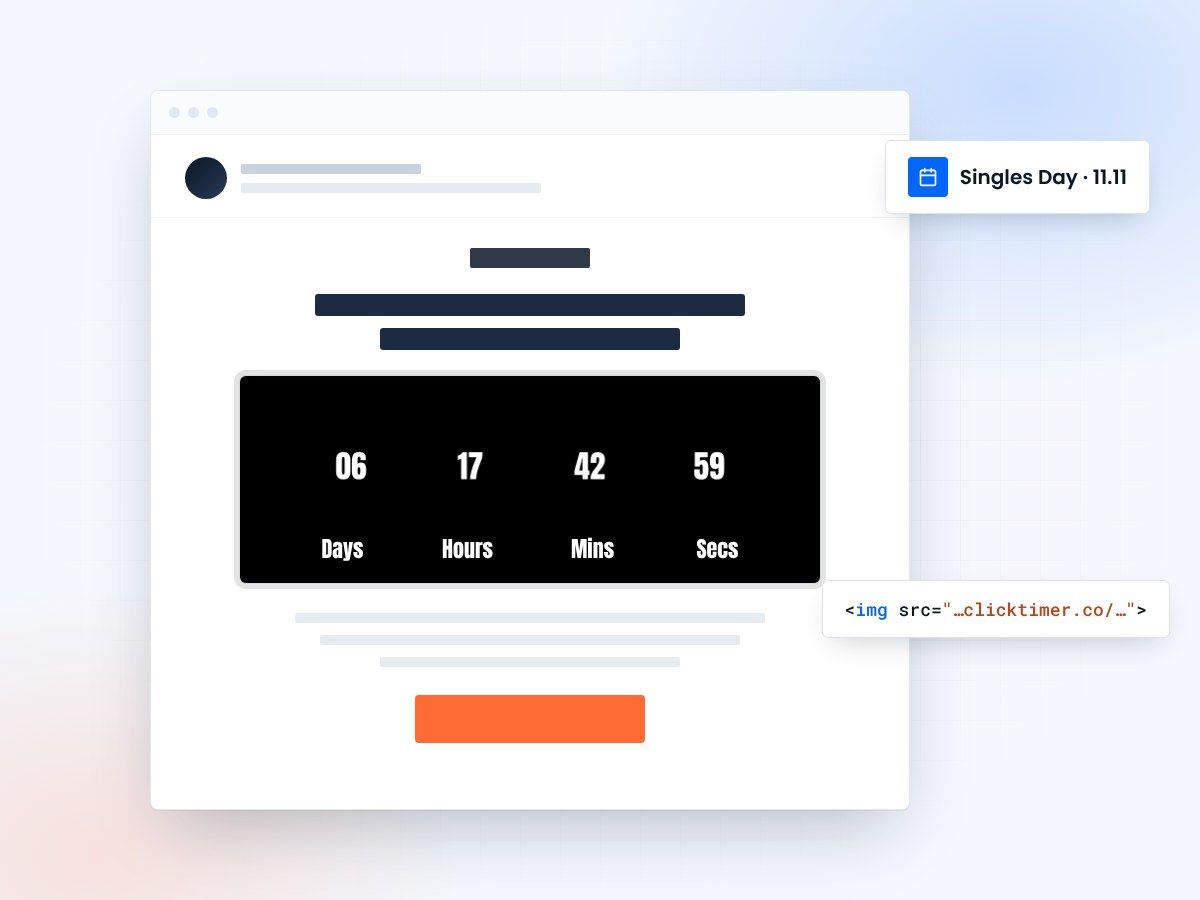
- Real time left at every open
- Built for the 24-hour 11.11 sale
- Works in Klaviyo, Mailchimp, Shopify Email
- 10,000 free impressions a month
Why countdowns lift Singles Day email conversions
- 11.11 is a 24-hour sale. Short windows are exactly where a visible clock makes the difference between "I'll check later" and "I'll check now".
- It gets you in before the Black Friday noise. Mid-November inboxes are calmer than Black Friday week. A strong 11.11 campaign captures early holiday shoppers — and warms your list for 27 November.
- The timer is live at every open. Whether someone opens at 08:00 or 23:00, they see the real time left.
- It supports hourly mechanics. "Deal of the hour" or "11:11 flash deal" campaigns need a timer per drop, and ClickTimer timers take seconds to duplicate.
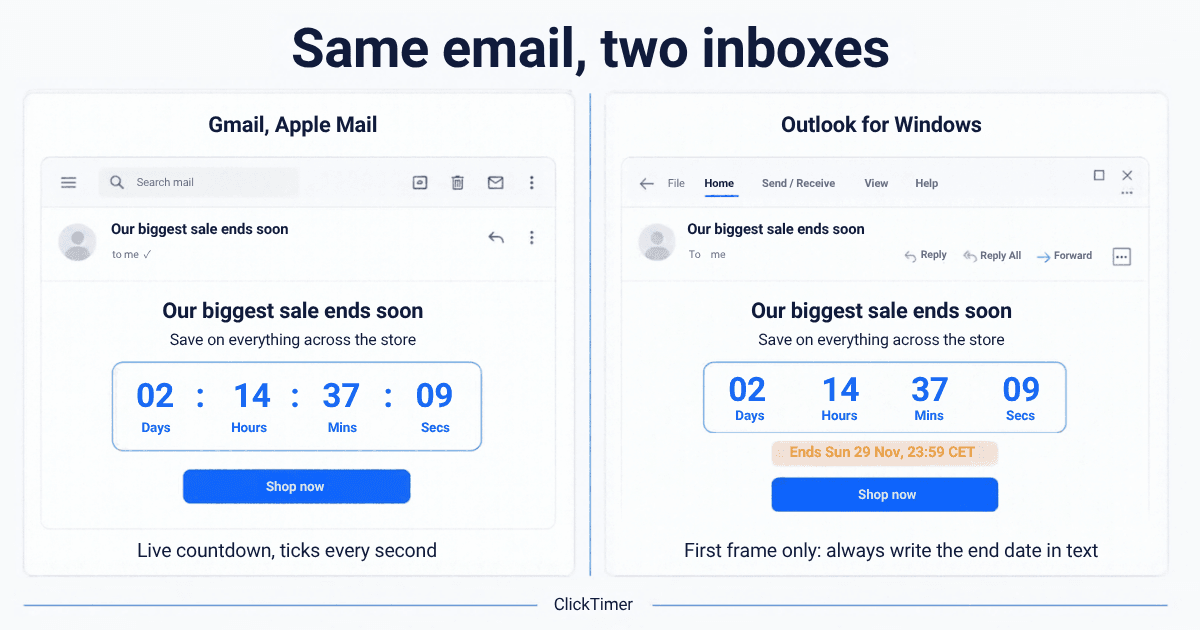
Step-by-step setup
Create the countdown
- Open app.clicktimer.co → New countdown.
- End date: 11 Nov 2026, 23:59 in your audience's timezone (for a flash drop, use 11:11).
- Style: red and gold work well for 11.11; pick from 900+ fonts.
- Set an expired message ("11.11 is over — Black Friday is next") and copy the embed code.
More looks: countdown timer email templates.
Klaviyo
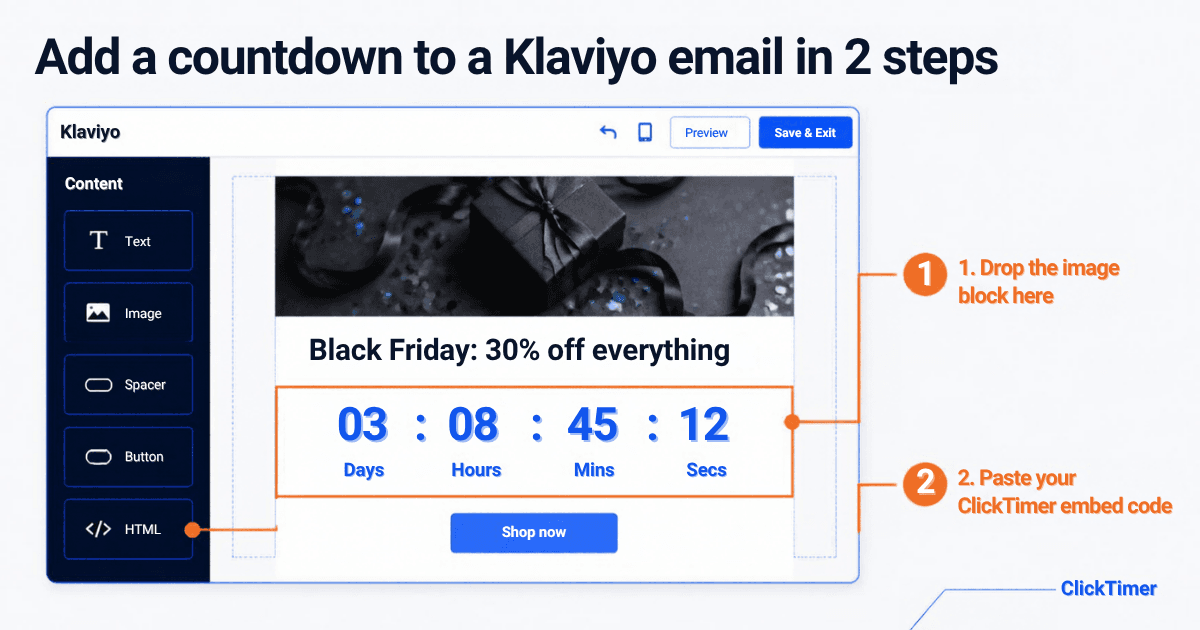
Drag an HTML block into your campaign, paste the code, preview. Step by step: Klaviyo countdown timer.
Mailchimp
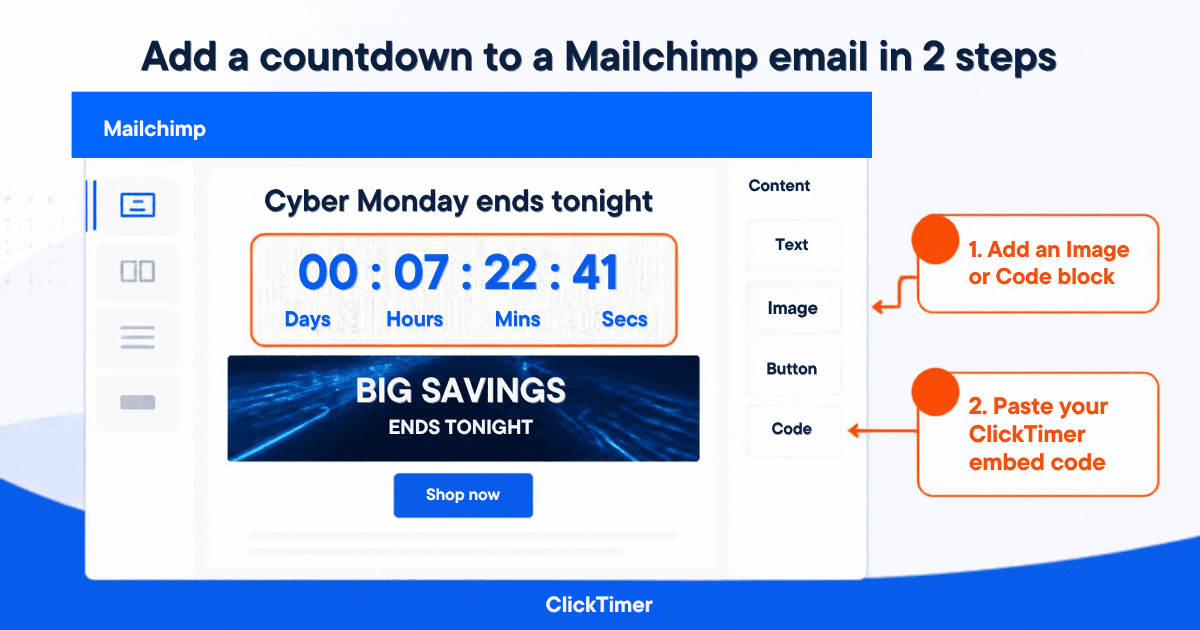
Add a Code content block, paste the code, send a test.
Shopify Email
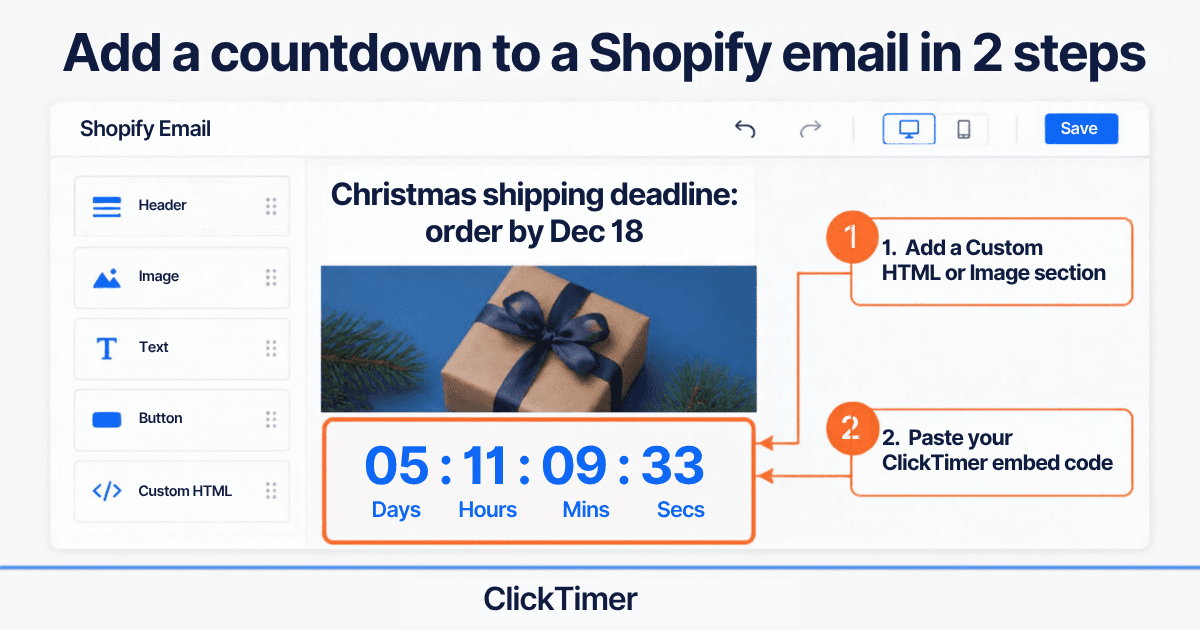
Use a section that accepts custom HTML/Liquid (if your editor offers it) and paste the code. If you can only upload an image, the timer won't update — use the HTML option or a Shopify-connected ESP (Klaviyo, Omnisend).
Create your Singles Day countdown
Set the deadline to 11 Nov 23:59, match your brand, copy the code. 10,000 free impressions a month.
Already have an account?
Send Test Email
Enter your email to receive a preview of how this countdown looks in email campaigns.
3 subject line and timer combos
| Subject line | Timer counts down to | |
|---|---|---|
| Teaser | "11.11 is coming — 1 week to the biggest sale of the year" | Wed 11 Nov, 00:00 |
| Flash drop | "11:11 → 11% extra off. For 11 hours only." | Wed 11 Nov, 22:11 |
| Last call | "Singles Day ends at midnight" | Wed 11 Nov, 23:59 |
Singles Day 2026 send plan
| Date | Timer | |
|---|---|---|
| Wed 4 Nov | Teaser: "One week to 11.11" | To launch |
| Mon 9 Nov | VIP list / early access sign-up | To VIP opening |
| Tue 10 Nov, evening | "Starts at midnight" (VIPs: early access now) | To Wed 00:00 |
| Wed 11 Nov, morning | 11.11 launch | To Wed 23:59 |
| Wed 11 Nov, 11:11 | Flash deal | To flash end |
| Wed 11 Nov, evening | Last call — non-buyers | To Wed 23:59 |
| Thu 12 Nov | Optional 24h extension | To Thu 23:59 |
Then switch to your Black Friday sequence: see the Black Friday 2026 calendar (teasers from Thu 19 Nov, launch Fri 27 Nov) and the Cyber Monday plan (Mon 30 Nov).
Planning and pricing
Singles Day vs. Black Friday: do both?
For most brands, yes — but differentiate. Keep 11.11 shorter and more playful (numbers, flash drops, bundles "for one"), and save your headline discount for Black Friday. Use separate timers so each event has its own deadline and its own impression count.
What it costs
10,000 free impressions a month with no watermark. Then €0.23 per 10,000 (10K–150K), €0.15 per 10,000 (150K–1M), €0.06 per 10,000 above 1M. Prepaid credits that never expire, no subscription — buy once for 11.11 and reuse them through Christmas.
Frequently asked questions
When is Singles Day 2026?
Wednesday, November 11, 2026 (11.11).
Should Western brands run a Singles Day campaign?
It's worth testing if you sell online internationally or to younger, deal-driven audiences. Mid-November is a good moment to reach shoppers before the Black Friday rush.
How long should a Singles Day sale last?
The classic format is 24 hours on 11 November, sometimes with VIP early access the evening before and an optional 24h extension.
Can I run hourly deals with countdown timers?
Yes. Create one timer per drop (duplicating takes seconds) and send each with its own deadline.
How much does a Singles Day timer cost?
You get 10,000 free impressions a month with no watermark. Beyond that it's pay-as-you-go from €0.23 per 10,000 impressions — the cheapest countdown ever.
Get your 11.11 countdown ready
Create your timer in about a minute and paste it into any email platform that accepts an image.