Best Countdown Timers for Shopify Email Marketing
How to add real-time countdown urgency to every Shopify email — whether you use Shopify Email, Klaviyo or Omnisend.
Create Your Timer — Free 10,000 free impressions a month · No watermark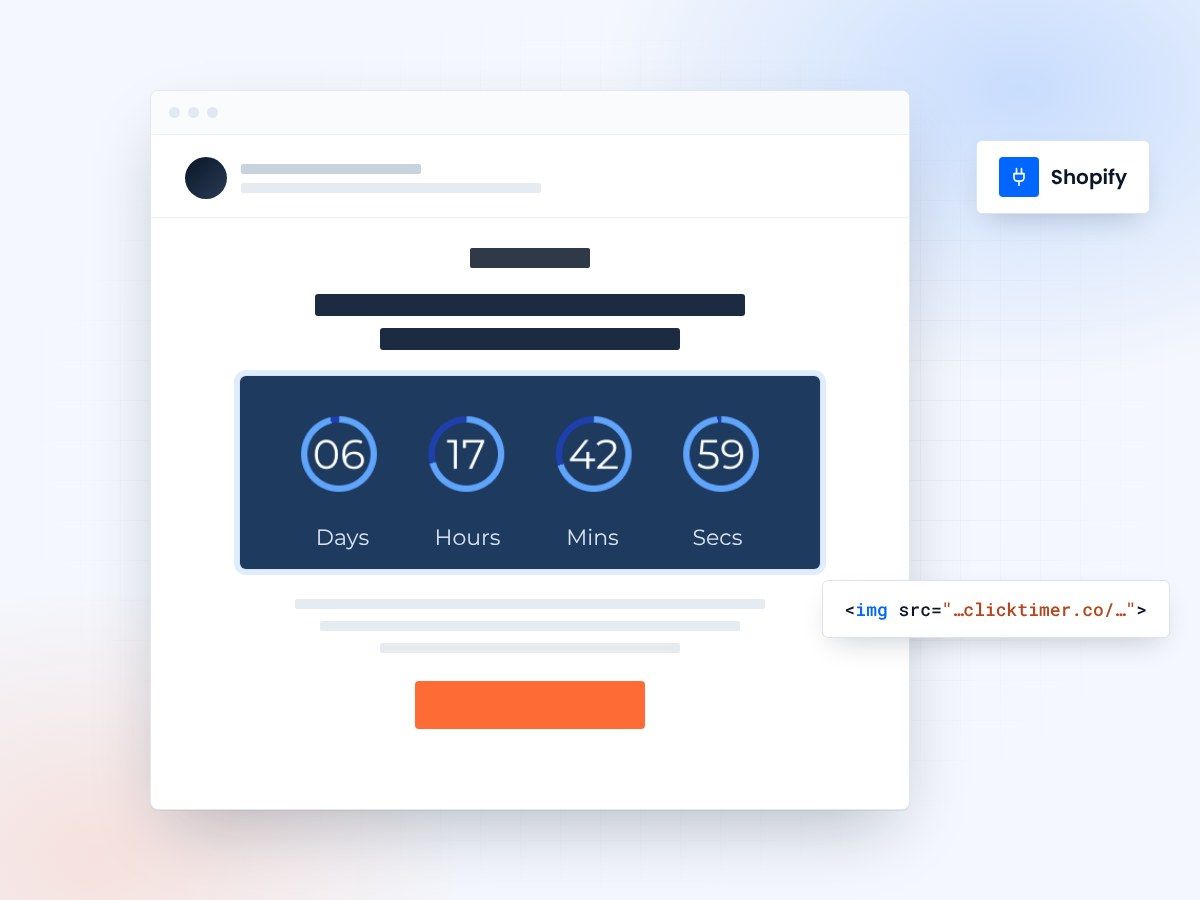
- Works with Shopify Email, Klaviyo, Omnisend
- No Shopify app to install
- 10,000 free impressions a month
- No watermark, even on the free plan
Why Shopify stores need email countdown timers
Shopify stores thrive on urgency. Flash sales, limited-edition drops, free shipping deadlines, and seasonal promotions all work better when customers can see time running out. Adding a countdown timer to your Shopify email campaigns creates visual urgency that drives clicks and conversions beyond what static text can achieve.
The best part? You do not need a Shopify app for this. Email countdown timers work independently of your store — they are a short HTML code you paste directly into your email campaigns. This means they work with any email platform you use alongside Shopify: Klaviyo, Omnisend, Shopify Email, Mailchimp, or any other ESP.
Best countdown timers for Shopify emails
| Tool | Works with | Starting price | Free tier | Best for |
|---|---|---|---|---|
| ClickTimer | All Shopify ESPs | €0.23/10K | 10K free, no watermark | Best overall for Shopify |
| MotionMail | All Shopify ESPs | $10/month | 1K, watermark | Mid-range option |
| CountdownMail | All Shopify ESPs | $9/month | Limited, watermark | Budget subscription |
| Sendtric | All Shopify ESPs | Free | Unlimited, watermark | Testing only |
Our top pick: ClickTimer
On-brand, no watermark
For Shopify stores, ClickTimer is the best choice. Ecommerce emails need to look polished and on-brand. A countdown timer with a third-party watermark undermines that professionalism. ClickTimer's free tier (10,000 impressions) comes without any watermark, and you get access to 900+ Google Fonts to match your store's branding perfectly.
Built for campaign bursts
Shopify stores also tend to run campaigns in bursts — Black Friday, holiday sales, new product launches — rather than continuously. ClickTimer's pay-as-you-go model (starting at €0.23/10K impressions, credits never expire) is perfect for this pattern. You buy credits before a big campaign and do not pay during quiet months.
How to add a countdown timer to Shopify emails
The process is the same regardless of which ESP you use with Shopify. Here is a step-by-step walkthrough:
- Set your deadlineGo to ClickTimer's configurator and set your countdown deadline (for example, the end of your sale). Choose your preferred font, colors, and size to match your store's branding.
- Copy the codeClick Get embed code, then Copy code.
- Add an HTML blockIn your ESP's email editor (Klaviyo, Omnisend, Shopify Email, etc.), add an HTML block (a Custom Liquid section in Shopify Email) and paste the code. The timer will appear as a live, updating countdown GIF.
- SendSend your campaign. Each time a subscriber opens the email, the timer updates in real-time to show the accurate remaining time until your deadline.
Create your Shopify countdown
Set the end date, match your brand, copy the HTML code. 10,000 free impressions a month, no credit card.
Already have an account?
Send Test Email
Enter your email to receive a preview of how this countdown looks in email campaigns.
Best Shopify email campaigns for countdown timers
Countdown timers work especially well for these Shopify email types:
Campaigns that fit a timer
- flash sales and limited-time discounts,
- free shipping deadline reminders,
- product launch and pre-order campaigns,
- abandoned cart recovery sequences with a cart reservation deadline,
- seasonal promotions like Black Friday and holiday sales,
- and loyalty reward expiration reminders.
Start with abandoned cart
The most impactful use case is abandoned cart emails. Adding a timer that shows how much time remains before the cart or a special discount expires creates urgency without being pushy. For detailed setup instructions with Klaviyo (the most popular Shopify ESP), see our complete Klaviyo flows countdown timer guide.
Shopify Email, Klaviyo and ClickTimer
Using countdown timers with Shopify Email (native)
Shopify's built-in email tool (Shopify Email) lets you add ClickTimer countdowns directly. In the Shopify Email editor, add a Custom Liquid section and paste the ClickTimer code. The countdown will render correctly in all subscriber inboxes.
If you use Shopify Email for simpler campaigns and Klaviyo or Omnisend for automated flows, you can use the same ClickTimer account across all of them. The timer code works universally, as a standard HTML snippet that any email client can display.
Shopify + Klaviyo + ClickTimer: the power stack
The most popular Shopify email setup in 2026 is Shopify + Klaviyo for email automation. Adding ClickTimer to this stack gives you countdown capabilities in every automated flow — welcome series, abandoned cart, browse abandonment, winback, and post-purchase sequences.
Klaviyo flows let you set dynamic deadlines based on when a subscriber enters the flow. For example, you can create a timer that counts down 48 hours from when someone abandoned their cart. Check our complete Klaviyo countdown timer tutorial for step-by-step setup instructions. For pricing details on how this scales, see our pricing comparison.
Frequently asked questions
Do I need a Shopify app for email countdown timers?
No. Email countdown timers are independent of Shopify — they are a short HTML code embedded in your emails. ClickTimer works with any ESP you use alongside Shopify, without requiring a Shopify app installation.
Can I use countdown timers in Shopify abandoned cart emails?
Absolutely. Countdown timers are highly effective in abandoned cart sequences. They create urgency by showing customers their cart or discount is expiring soon.
What is the best free countdown timer for Shopify emails?
ClickTimer offers 10,000 free impressions per month without a watermark — ideal for Shopify stores running occasional campaigns. For a full comparison, see our free countdown timer guide.
Does the countdown timer slow down email loading?
No. ClickTimer generates optimized GIF images that load quickly in all email clients. The file size is comparable to a standard promotional image and will not affect your email's load time or deliverability.
Add countdown urgency to your Shopify emails
Create your timer in about a minute and paste it into Shopify Email, Klaviyo, Omnisend or any other ESP.