Add a Countdown Timer to Omnisend Emails
Boost ecommerce conversions in your Omnisend campaigns with a live countdown timer — free, no watermark, 30-second setup.
Create Your Timer — Free 10,000 free impressions a month · No watermark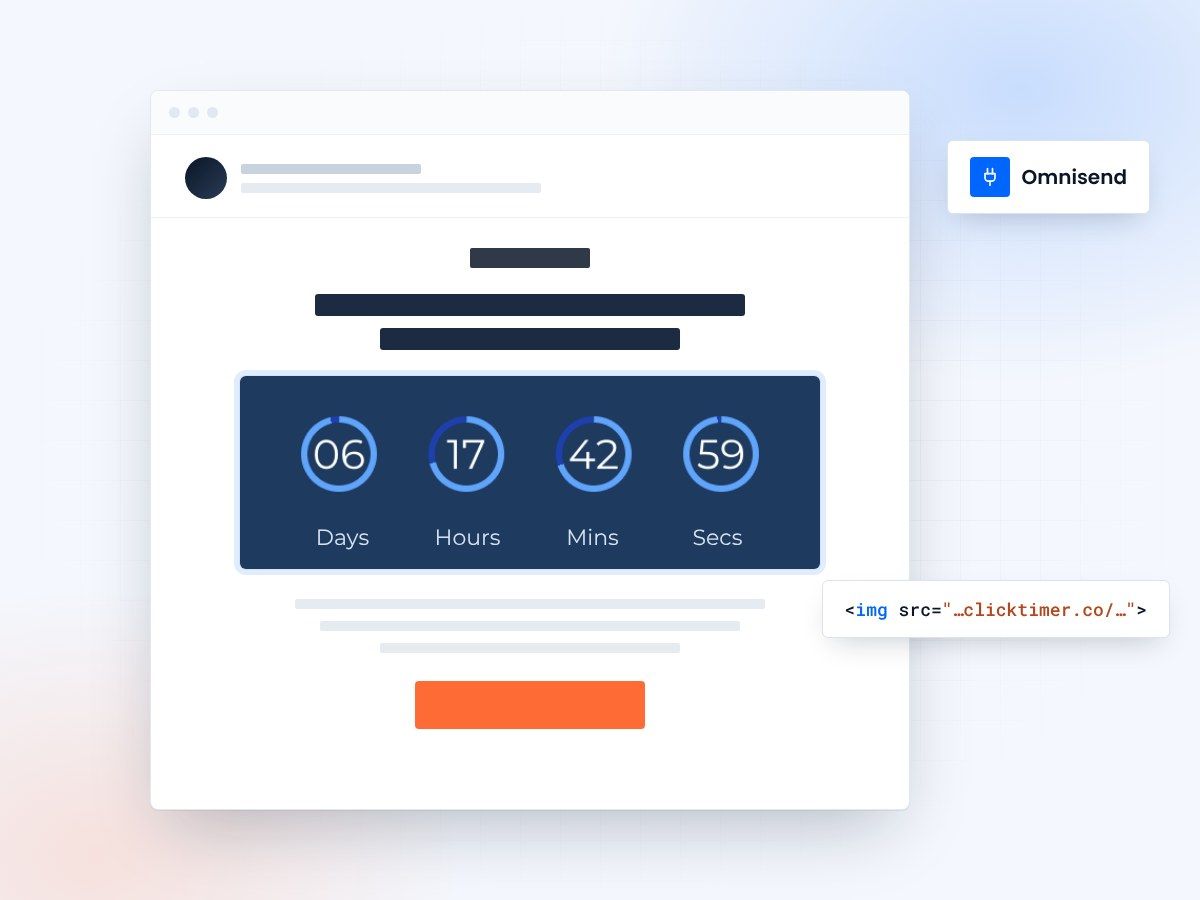
- Works in every Omnisend email type
- 900+ Google Fonts for brand matching
- 10,000 free impressions a month
- No watermark, even on the free plan
Why use countdown timers in Omnisend
Omnisend is built specifically for ecommerce. With deep integrations into Shopify, WooCommerce, BigCommerce, and other platforms, it's the go-to email marketing tool for online stores that want to drive more sales. And nothing drives ecommerce sales like urgency.
Countdown timers are one of the most effective urgency tools in ecommerce email marketing. When a subscriber sees a ticking timer in their inbox — whether for a flash sale, a limited stock alert, or a free shipping deadline — their instinct is to act immediately rather than risk missing out. This FOMO (fear of missing out) effect is particularly powerful for online shoppers.
ClickTimer makes it effortless to add live countdown timers to your Omnisend emails. With no watermark on the free tier, 900+ Google Fonts for perfect brand matching, and pay-as-you-go pricing that scales with your store, it's the ideal countdown timer solution for Omnisend merchants.
Adding a ClickTimer to Omnisend
- Create your timer on ClickTimerGo to clicktimer.co and configure your countdown timer. Set the end date of your sale or promotion, choose your timezone, pick a font from 900+ options to match your store's branding, and customize colors. Copy the generated HTML code.
- Open the Omnisend email editorIn Omnisend, navigate to Campaigns → New Campaign or open an automation workflow email. Omnisend's visual editor will load, ready for you to design your email.
- Add an HTML blockDrag an HTML block into your email from Omnisend's sidebar. Paste the ClickTimer code. Your countdown timer will appear in the email instantly.
- Link to your product or sale pageIn ClickTimer, set the timer's link to your sale page, product collection, or special offer landing page. The embed code already contains it. Omnisend tracks clicks, so you'll be able to measure the timer's direct impact on sales.
- Preview, test, launchUse Omnisend's preview mode to check the timer on desktop and mobile. Send a test email to yourself. Once everything looks good, send or schedule your campaign.
Ecommerce automation workflows with countdown timers
Omnisend's pre-built ecommerce automation workflows are where countdown timers deliver the biggest ROI. Here are the top use cases:
Cart abandonment series
Omnisend's cart recovery workflow is one of its most profitable features. Adding a countdown timer ("Your cart is reserved for 24 hours") to the first recovery email creates immediate urgency and can boost recovery rates by 30% or more.
Browse abandonment
When someone views a product but doesn't add to cart, trigger an email with a limited-time discount and a countdown timer. The visual urgency turns window shoppers into buyers.
Post-purchase cross-sell
After a purchase, send a cross-sell email with a time-limited discount on complementary products. The countdown timer ensures customers act while they're still in a buying mindset.
Flash sale campaigns
Omnisend makes it easy to send to your entire list or specific segments. A flash sale email with a countdown timer showing "Sale ends in X hours" is the classic high-converting ecommerce email.
ClickTimer vs other timer options for Omnisend
| Feature | ClickTimer | NiftyImages | Sendtric |
|---|---|---|---|
| Free tier | 10K impressions, no watermark | Limited free | Free with watermark |
| Pricing | Pay-as-you-go from €0.23/10K | From $20/month | Premium plans available |
| Fonts | 900+ Google Fonts | Good selection | Basic fonts |
| Ecommerce focus | Works for all use cases | Email personalization suite | Basic timer only |
| Omnisend compatible | Yes | Yes | Yes |
Create your Omnisend countdown
Set the end date, match your store's fonts and colors, paste the code into an HTML block. 10,000 free impressions a month, no credit card.
Already have an account?
Send Test Email
Enter your email to receive a preview of how this countdown looks in email campaigns.
ClickTimer pricing for Omnisend merchants
ClickTimer's pay-as-you-go pricing is perfect for ecommerce — you only pay during peak seasons when you're sending more emails:
For a typical Omnisend merchant sending to 20,000 subscribers, that's about €0.46 for timers in a single campaign. During Black Friday when you might send 5 timer campaigns to 50,000 subscribers? Still under €12. Compare that to fixed monthly fees from tools like MailTimers (€49/month) or Deadline Funnel ($49/month).
| Impressions | Price |
|---|---|
| 0 – 10,000 | Free (no watermark) |
| 10K – 150K | €0.23 per 10K impressions |
| 150K – 1M | €0.15 per 10K impressions |
| 1M+ | €0.06 per 10K impressions |
Frequently asked questions
Does ClickTimer work with Omnisend automation workflows?
Yes. ClickTimer works in all Omnisend email types — campaigns, automation workflow emails, and transactional emails. Paste the timer code into any HTML block.
Can I use ClickTimer with Omnisend's product recommendation blocks?
ClickTimer and Omnisend's product blocks work independently. Place the countdown timer above or below your product recommendations to add urgency to the entire email.
Does ClickTimer work with Shopify + Omnisend?
Yes. ClickTimer is platform-agnostic — it works regardless of your ecommerce platform. Whether you use Omnisend with Shopify, WooCommerce, BigCommerce, or any other platform, the countdown timer works the same way.
Is there a watermark on the free tier?
No. ClickTimer's free tier (10,000 impressions) has zero watermark. Your countdown timer looks professional and on-brand from the very first email.
Try ClickTimer free in your next Omnisend campaign
Create your first countdown timer in 30 seconds.