Halloween Countdown Email Campaigns That Boost Seasonal Sales
Spooky-good urgency tactics for seasonal email campaigns
Create Your Timer — Free 10,000 free impressions a month · No watermark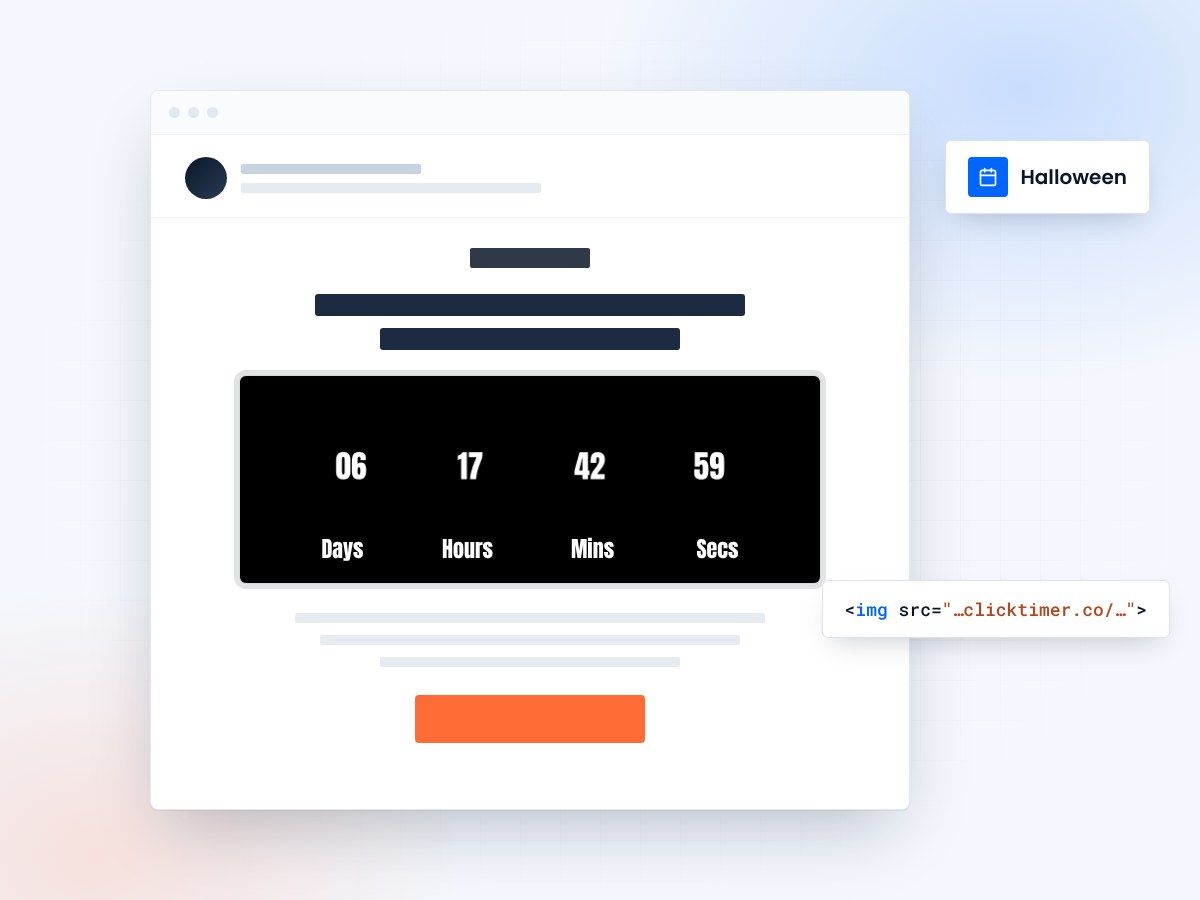
- Built around the October 31 deadline
- 900+ Google Fonts for themed timers
- 10,000 free impressions a month
- No watermark, even on the free plan
Why Halloween email campaigns need countdown timers
Halloween has evolved from a candy-buying holiday into a full-scale retail event. In the US alone, Halloween spending tops $12 billion annually, covering costumes, decorations, candy, party supplies, and experiences. For email marketers, this represents a massive window — and countdown timers are the secret weapon to convert that seasonal excitement into sales.
The psychology behind Halloween countdowns is powerful: the holiday has a hard deadline (October 31), and once it passes, the buying window slams shut. Nobody buys a Halloween costume on November 1st. This natural deadline makes countdown timers incredibly effective — they're not creating artificial urgency, they're highlighting a real one.
With ClickTimer, you can create themed countdown timers in 30 seconds. Choose from 900+ Google Fonts, set spooky colors (orange and black, anyone?), and embed a GIF-based timer that works in every email client. Starting at just €0.23 per 10,000 impressions — with a free tier covering 10,000 impressions with no watermark.
Halloween email campaign calendar
The Halloween shopping season starts earlier than you think. Here's a strategic timeline for your email campaigns:
| When | Campaign | Timer Use | Best For |
|---|---|---|---|
| Early October | Early-Bird Preview | Timer to early discount end | Costumes, decorations |
| Oct 15–20 | Flash Sales | 24–48h flash countdown | All categories |
| Oct 21–25 | Shipping Deadline | Last order for Oct 31 delivery | Physical products |
| Oct 26–30 | Last-Minute Deals | Countdown to Halloween night | Digital, local pickup |
| Oct 31 | Day-Of Special | Hours-only timer | Experiences, digital gifts |
Five Halloween email campaigns that convert
The spooky flash sale
Run a 24-hour "Haunted Deals" flash sale with a prominent countdown timer. Use Halloween-themed subject lines like "BOO! 24 hours of frightening deals" paired with a timer showing exactly how long remains. Flash sales with visible countdowns consistently outperform static promotional emails by 25–35% in conversion rate.
The costume countdown
For costume retailers, create a countdown to the shipping deadline with messaging like "Order by [date] to get your costume in time." This is the highest-converting Halloween email because it combines product urgency with a real logistical deadline. Nobody wants to be scrambling for a costume on October 30th.
The mystery discount reveal
Send a "mystery treat" email where the countdown timer counts down to when a discount code will be revealed. This gamification approach drives incredible engagement — open rates can spike by 40% when recipients know a reveal is coming. Follow up with the actual code when the timer expires.
The Halloween party prep series
Create a multi-email series counting down to Halloween with themed product recommendations each day. "10 days to Halloween: Get your decorations." "7 days: Stock up on treats." Each email includes a countdown to Halloween night, building anticipation while driving purchases across multiple categories.
The day-after clearance
Don't stop on October 31st. Send a November 1st clearance email with a 48-hour countdown timer. "The best Halloween deals are AFTER Halloween — 50% off for 48 hours." This captures bargain hunters planning ahead for next year and clears inventory at the same time.
Halloween timer design tips
Match your countdown timer styling to the Halloween theme. With ClickTimer's full customization options, use orange (#FF6600) text on dark backgrounds, or black timers with orange accents. Choose a bold, slightly spooky font from the 900+ Google Fonts library — options like Creepster or Nosifer fit the holiday perfectly.
Create your Halloween countdown
Set your deadline, pick orange and black, copy the code. 10,000 free impressions a month, no credit card.
Already have an account?
Send Test Email
Enter your email to receive a preview of how this countdown looks in email campaigns.
Halloween emails by industry
Retail & E-commerce
Costume flash sales, decoration bundles with shipping deadline timers. Focus on the "order by" date for guaranteed delivery.
Food & Beverage
Halloween party catering deadlines, limited-edition seasonal items with stock countdowns. Candy and snack brands can time promotions to bulk-buying windows.
Entertainment & Events
Haunted house ticket sales, Halloween party RSVP deadlines, early-bird pricing for Halloween events. Countdown to event date drives ticket urgency.
SaaS & Digital
Halloween-themed promotions ("Scary-good deals"), annual plan discounts with themed timers. Even B2B companies can participate with tasteful seasonal campaigns.
Frequently asked questions
When should I start sending Halloween emails?
Early October for awareness and early-bird deals, then ramp up frequency from October 15th onward. The last 10 days before Halloween are peak conversion time.
Can I use Halloween-themed countdown timer colors?
Absolutely. ClickTimer lets you fully customize colors — use classic orange and black, or any Halloween palette you prefer. With 900+ Google Fonts, you can also choose themed typography.
What should my Halloween countdown timer count down to?
For physical products, count down to your shipping deadline. For digital products or events, count down to Halloween night (October 31 at midnight). For flash sales, count down to the sale end time.
How much does a Halloween email countdown timer cost?
ClickTimer is free for up to 10,000 impressions with no watermark. After that, it's just €0.23 per 10K impressions — pay-as-you-go with no subscription. Compare that to MailTimers at €49/month.
Get your Halloween countdown ready
Create your first countdown timer in 30 seconds.